The most important part of the latest Codex App update is not that subagents exist. It is that Codex subagents are finally visible and steerable enough to fit a real multi-agent workflow. Once you can see what was spawned, inspect what each worker is doing, and step in when the run starts drifting, custom agents stop feeling like a hidden feature and start feeling like something you can actually improve.
That matters to me because I already wrote about using Codex in a large multi-agent image pipeline. The orchestration itself was already interesting, but the day-to-day pain was observability. This update makes the Codex App, Codex subagents, custom agents, and the whole multi-agent workflow much easier to reason about from the UI itself.
You can now see what was spawned
First, you can actually see the subagents themselves - their names and roles, not just the final merged answer.

That sounds small, but it is not. Before this, subagents were conceptually interesting and operationally fuzzy. If the system launched extra workers behind the scenes, you had limited visibility into what existed, what each one was supposed to do, and whether the split even made sense.
You can drill into the run and intervene
The second improvement is more important: you can click into a spawned agent, inspect its work, and intervene while the run is still alive.
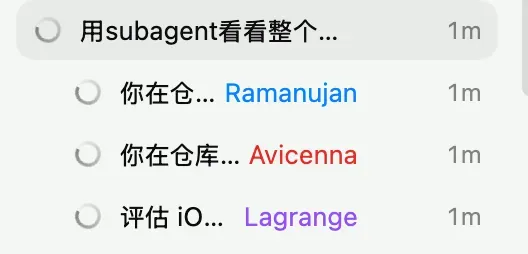
That is the difference between “parallelism as magic” and “parallelism as a workflow.” Once you can look inside the run, you can start tuning prompts, deciding whether the orchestration boundary is clean enough, and noticing when a worker is wasting time or drifting off task.
Why custom agents suddenly feel worth trying
Custom agents are not brand new. The feature existed before. The problem was that practical iteration was awkward. If you could not observe the behavior clearly, it was hard to tell whether a template was genuinely good or whether a run only looked good by accident.
This update changes that. Now the feedback loop is much tighter: define a custom agent, watch how it behaves, adjust the template, and try again. That is why I think custom agents are finally worth serious attention.
A simple example is a documentation specialist:
name = "docs_researcher"
description = "Documentation specialist that verifies APIs and framework behavior."
model = "gpt-5.3-codex-spark"
sandbox_mode = "read-only"
The point is not the exact file. The point is that .codex/agents/*.toml lets you predefine a role with its own model choice, boundaries, and instructions. Once the app makes these agents visible enough, you are no longer guessing whether the template is helping. You can actually inspect the result and refine it.
Calling agents feels lighter now
The UI flow also feels much smoother. You can type @ and pick an agent directly from the list.
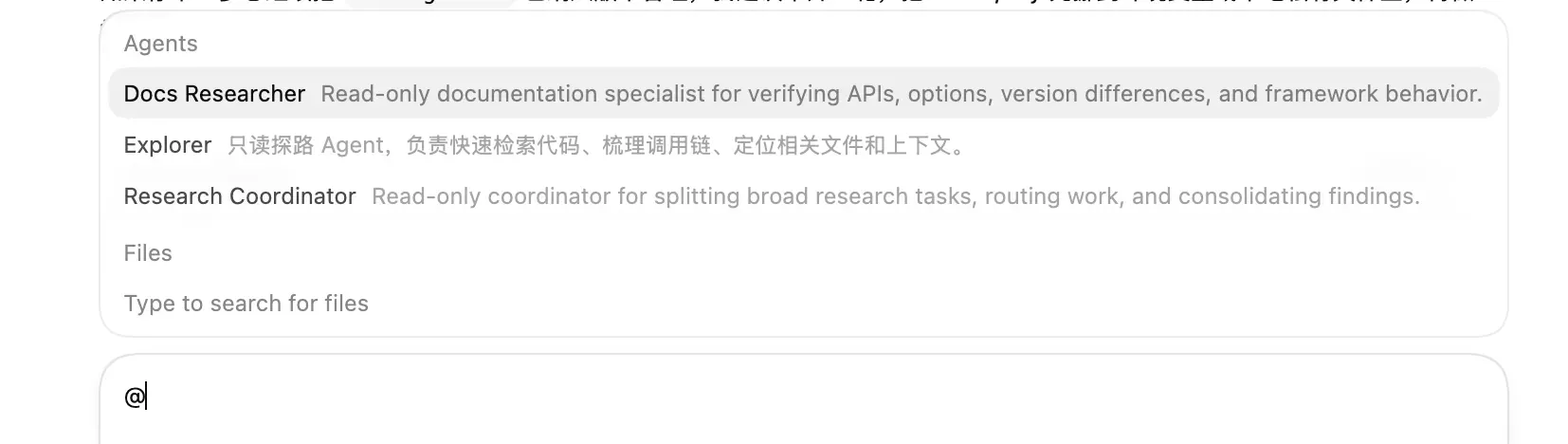
That lowers the friction a lot. A feature can be powerful in theory and still get ignored in practice if invoking it feels annoying. Here the invocation path is simple enough that custom agents start to feel like part of normal usage, not a niche configuration trick.
Overriding built-ins is where this gets interesting
Another detail I find more interesting than it looks: you can now see that a built-in role like explorer often seems to be using GPT-5.1-Codex-Mini.
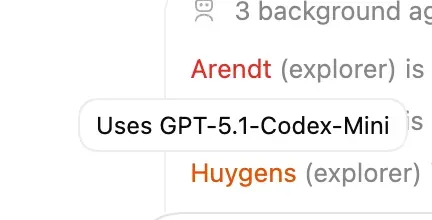
In my own use, exploratory work often tends to fall toward that built-in role. And if the default explorer is often landing on GPT-5.1-Codex-Mini, that gives me a very concrete reason to override it with my own version. I can write my own explorer.toml and switch it to gpt-5.3-codex-spark: it feels faster, its usage is separately so it is often a good deal, and the main trade-off is that you need to remember it only has a 128k context window. You are no longer limited to whatever general-purpose explorer behavior the app happens to ship with. You can start shaping your own working style.
And that is where the feature stops being a novelty. It becomes a system you can tune.
The real upgrade is observability
So my main takeaway is simple: the real upgrade is not “subagents now exist.” The real upgrade is that Codex App now exposes them well enough that custom agents become usable, testable, and improvable.
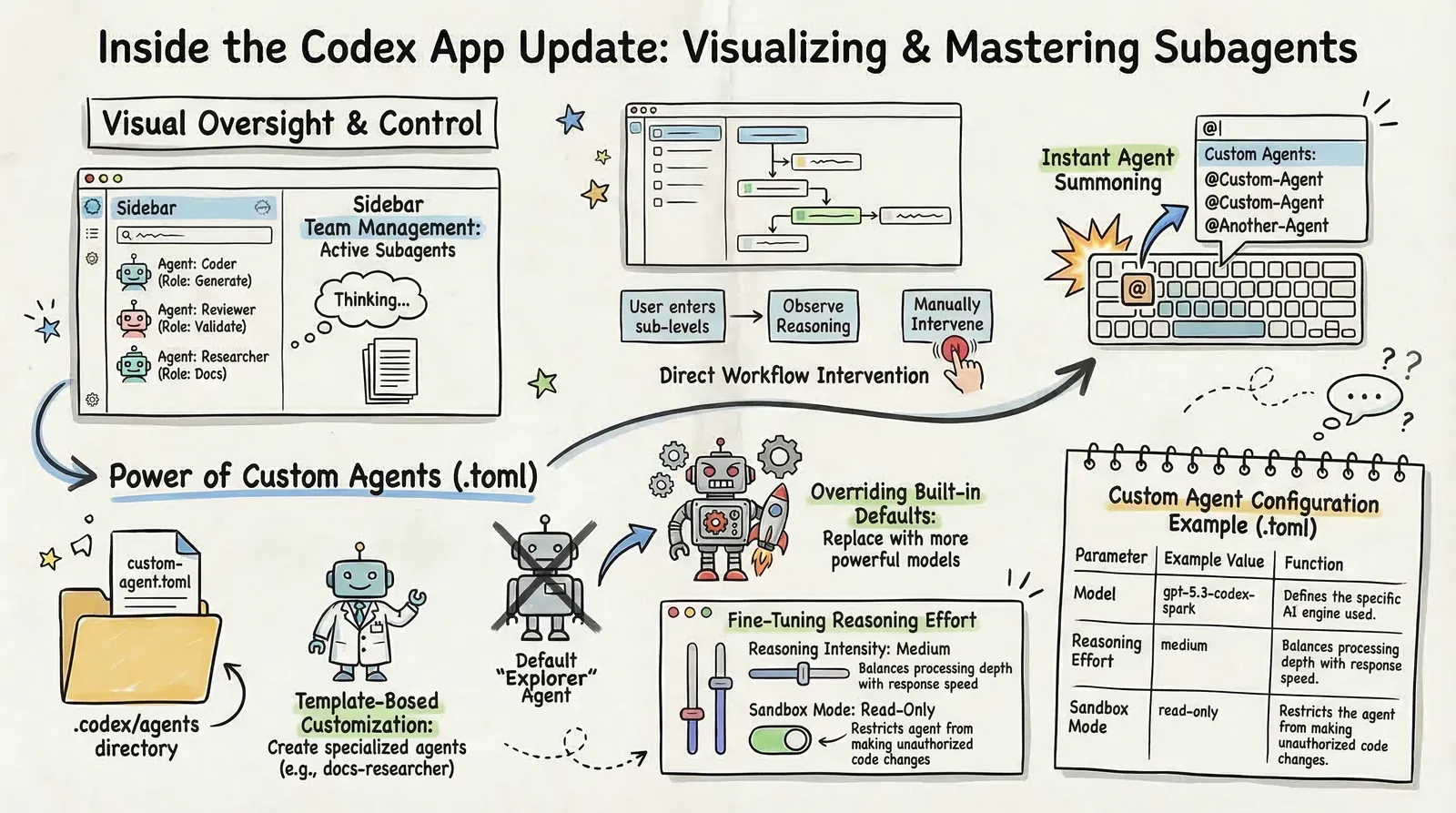
Custom agents were already there. But before, the pain point was observability. You could define them, yet it was harder to see whether the setup was actually good. With this update, the loop becomes much more practical: create a role, run it, observe it, adjust it, repeat.
That is why I think this is a meaningful step forward. Not because OpenAI invented custom agents today, but because it finally made them feel like a feature you can really work with.