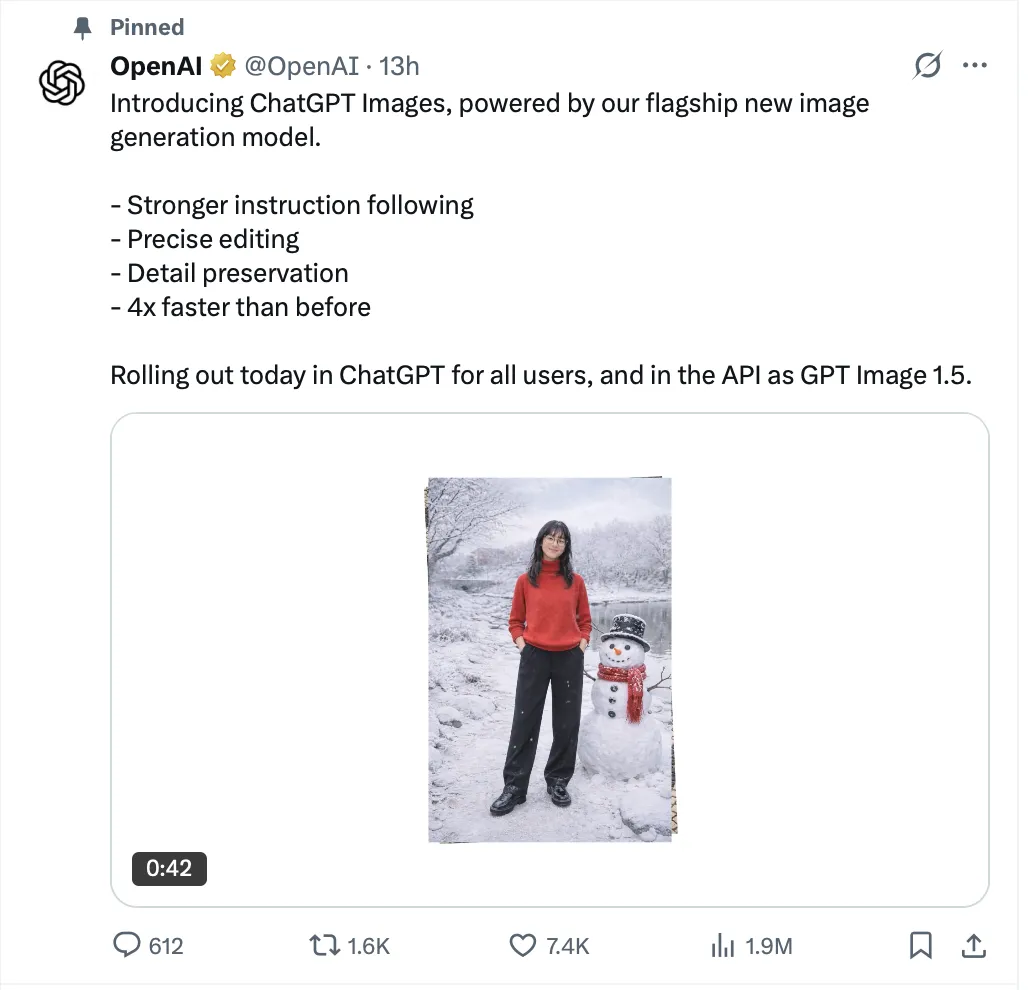
On December 16, 2025, OpenAI shipped its new ChatGPT image model and exposed it in the API as GPT Image 1.5 (announcement: https://openai.com/index/new-chatgpt-images-is-here/). The positioning was straightforward: better instruction following, more precise edits, stronger detail preservation, and faster generation.
The timing matters because just a few weeks earlier, Google’s Nano Banana Pro started going viral inside Gemini. If you’ve been around AI-image communities long enough, you know what happened next: “this one is finally it” posts, side-by-sides, hot takes, and a lot of tribal energy.
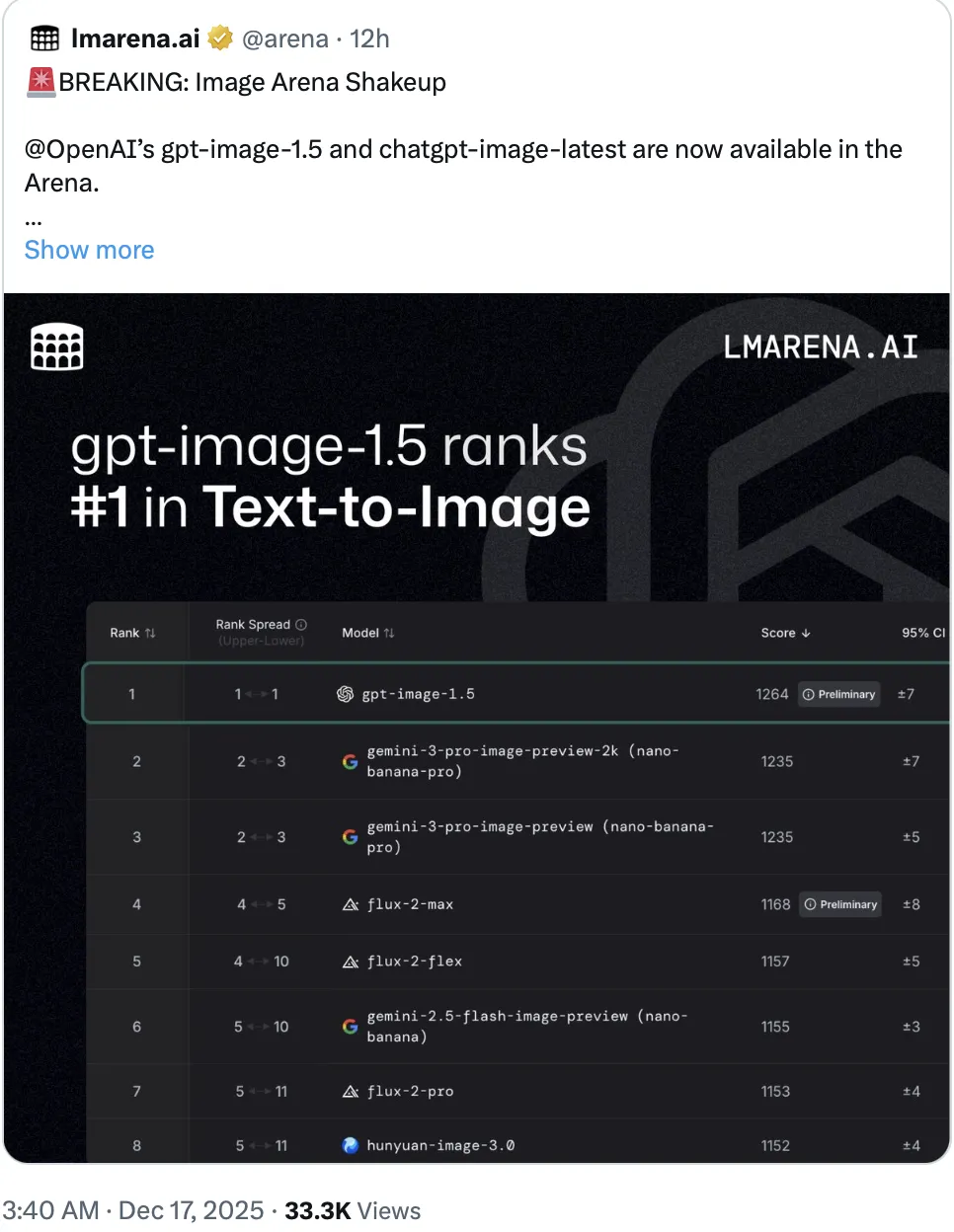
Then something weird happened. On Image Arena (lmarena.ai), GPT Image 1.5 jumped to the top of the Text-to-Image leaderboard. On X, the vibe was the opposite: people dunking on it and calling it an obvious downgrade versus Nano Banana Pro. Some went further and suggested the leaderboard must be “cooked.” I don’t have evidence either way, but the disconnect was big enough that I wanted to sanity-check it myself.
This is not a benchmark. It’s just a small set of prompts I personally care about—mostly “can I use this in real work without babysitting it.” Every comparison image below is formatted the same way: GPT Image 1.5 on the left, Gemini (Nano Banana Pro) on the right.
Prompt 1 (playful mascot, clay texture)
Purpose: playful mascot illustration. Background: simple pastel backdrop. Subject: a cute black cat mascot holding a tiny passport and a mini suitcase. Key details: clay texture, soft studio lighting, rounded shapes, shallow depth of field. Constraints: no text, no watermark, no logos; keep the cat fully black with subtle highlights.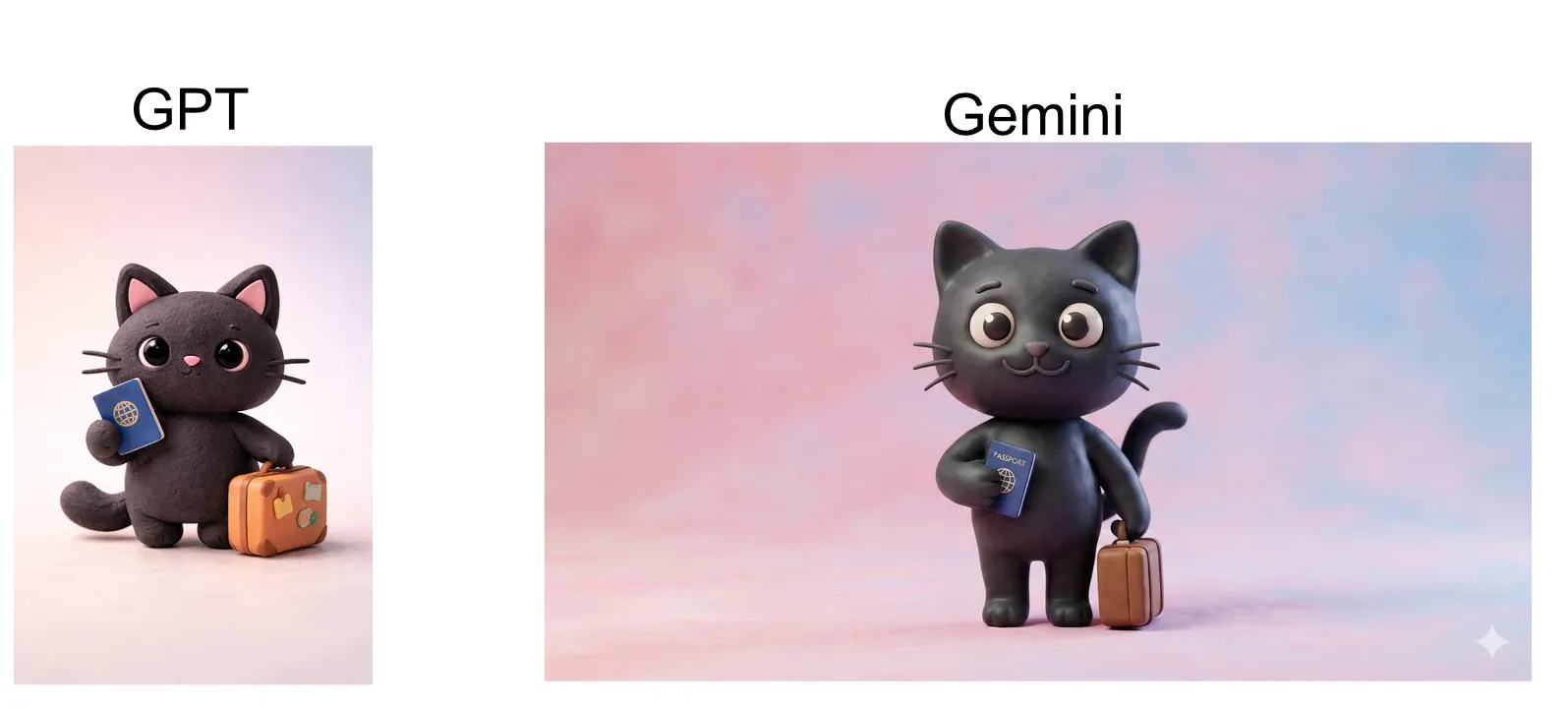
My take: basically a tie. If you prefer one, it’s probably taste—not quality.
Prompt 2 (cozy blog header illustration, colored pencil texture)
Purpose: cozy illustration for a blog header.
Background: soft pastel sky with subtle clouds.
Subject: an open suitcase with small travel items arranged neatly (camera, map, ticket, scarf).
Key details: colored pencil texture, gentle shading, warm cozy mood, slight paper grain.
Constraints: no text, no watermark, no brand marks on items.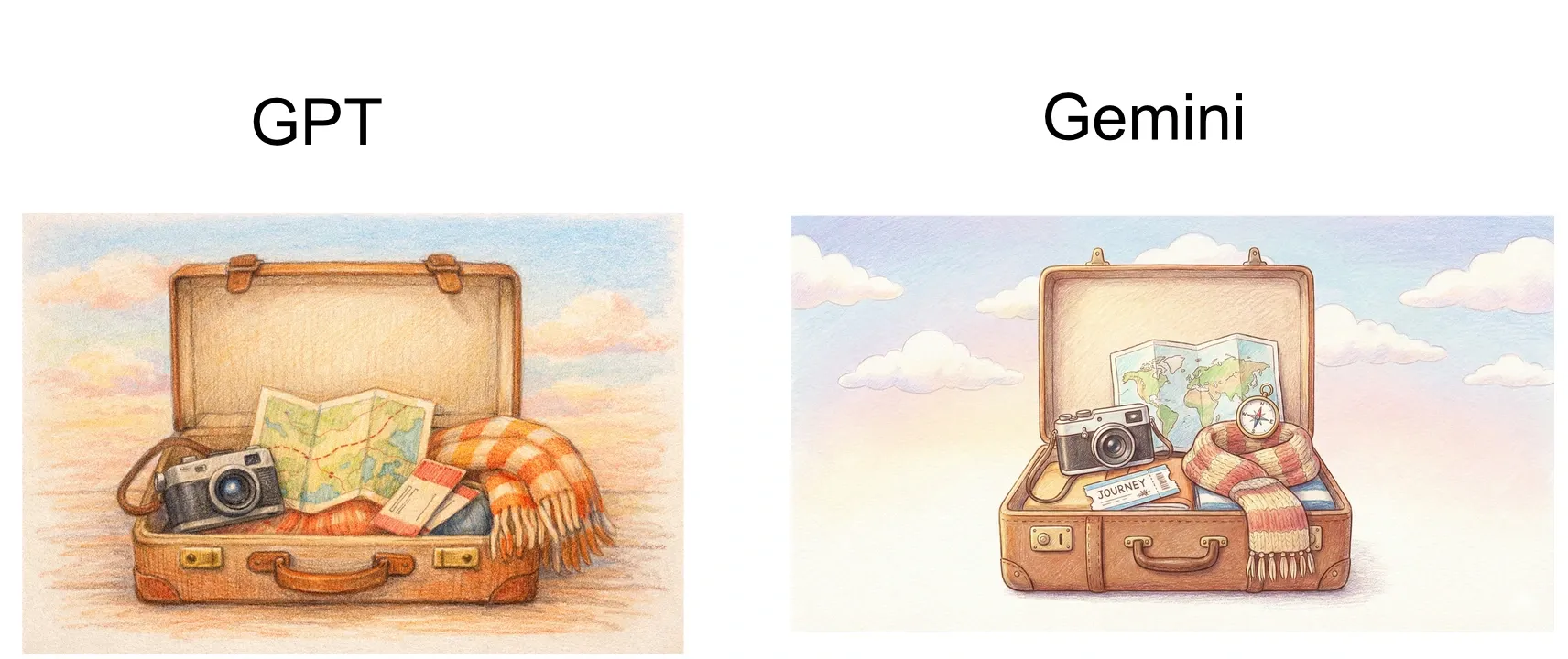
Again: a tie. Both are clean, usable, and “shippable.”
Prompt 3 (vintage travel poster + exact title text)
Purpose: vintage travel poster.
Background: warm cream paper texture.
Subject: stylized mountain + lake + train silhouette, mid-century graphic design.
Text: add the title "WINTER TRIP" in ALL CAPS, centered at top, bold sans-serif.
Key details: limited color palette, slightly misregistered print feel, clean geometric shapes.
Constraints: text must be exactly "WINTER TRIP" (no extra words), no watermark, no logos.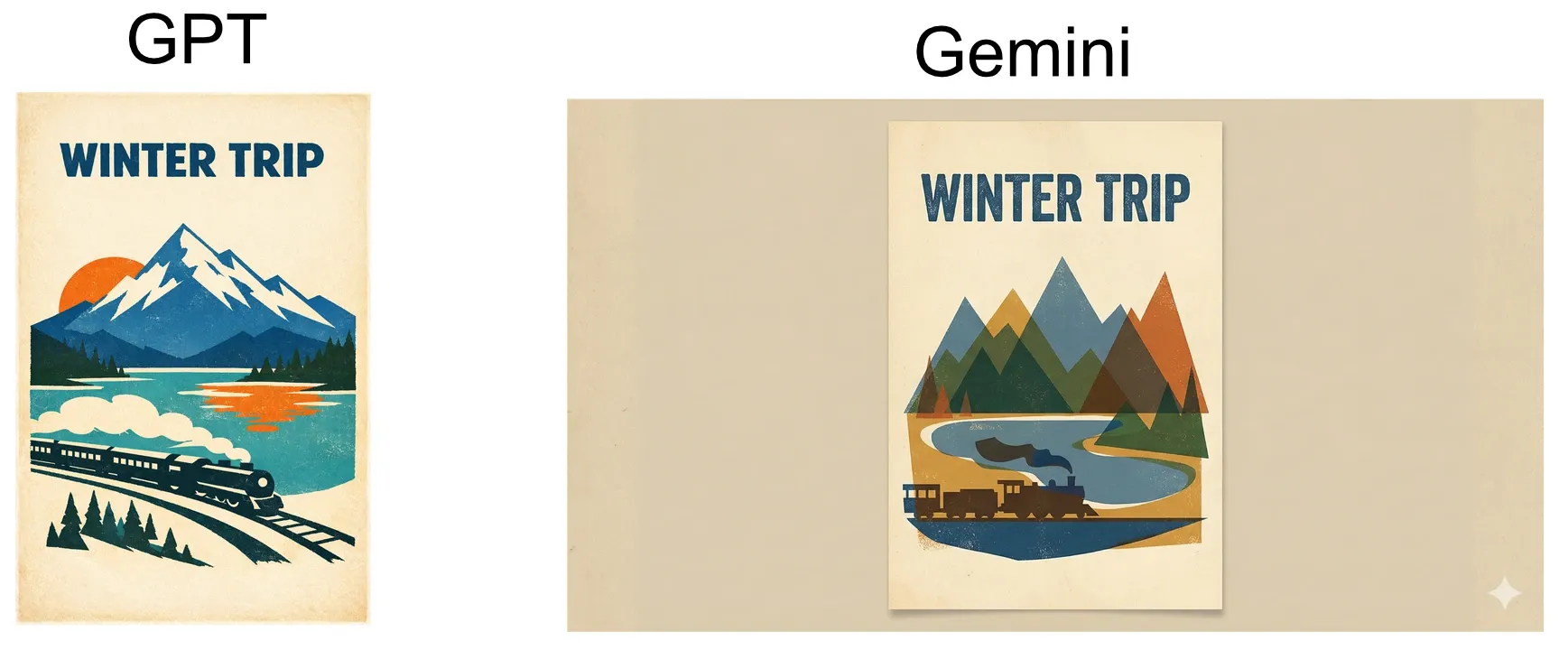
This is where I start to see small differences. GPT’s typography feels a bit more “poster-like” to me, but Nano Banana Pro is close—and in practice you’d just iterate one or two turns.
Prompt 4 (sticky notes + exact text)
Background: a clean desk scene, soft morning light.
Subject: three pastel sticky notes slightly overlapping.
Text on notes:
Note 1: "Buy oat milk"
Note 2: "Flight: 15:23"
Note 3: "Hotel check-in 14:00"
Key details: realistic paper texture, subtle shadows, shallow depth of field.
Constraints: text must match exactly (case and punctuation), no extra text, no watermark, no logos.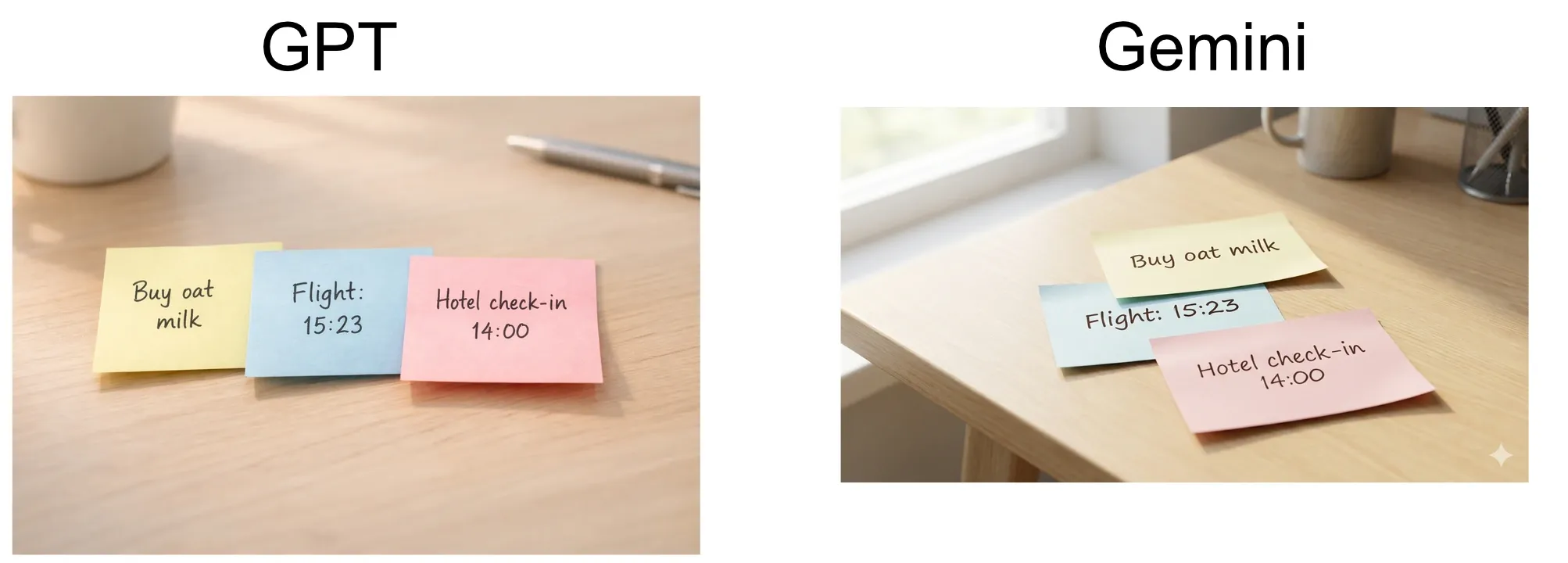
Both pass the “can you render text at all” test. Nano Banana Pro’s layout feels a touch more intentional here, but this is the kind of micro-difference that disappears once you do a second iteration.
Prompt 5 (long English text on a clean magazine page)
Purpose: a clean magazine interior page with long English text.
Background: warm off-white paper texture, subtle grain.
Layout: single column, left aligned, comfortable margins, line height 1.4, no images.
Typography: modern serif print style, crisp and readable.

Text (must be EXACT, keep all line breaks and punctuation, no extra text):
"I used to think travel was difficult because of the road itself. Later I realized the exhausting part happens before you leave: too much information, too many choices. The harder you try to make everything perfect, the easier it becomes to get trapped by details. So I started collecting ideas in a small inbox first. A photo, a recommendation, an address—nothing needs a decision right away. When I have time, I drag those fragments onto a timeline, the way you tidy a desk. Planning stops feeling like a test and starts feeling like a map that slowly takes shape. You will still change things, and you will still delete things, but you won’t be pushed by the pressure to get it right in one pass. In the end, exporting one clear snapshot is enough."

Constraints: text must match exactly; no watermark; no logos; no additional words anywhere.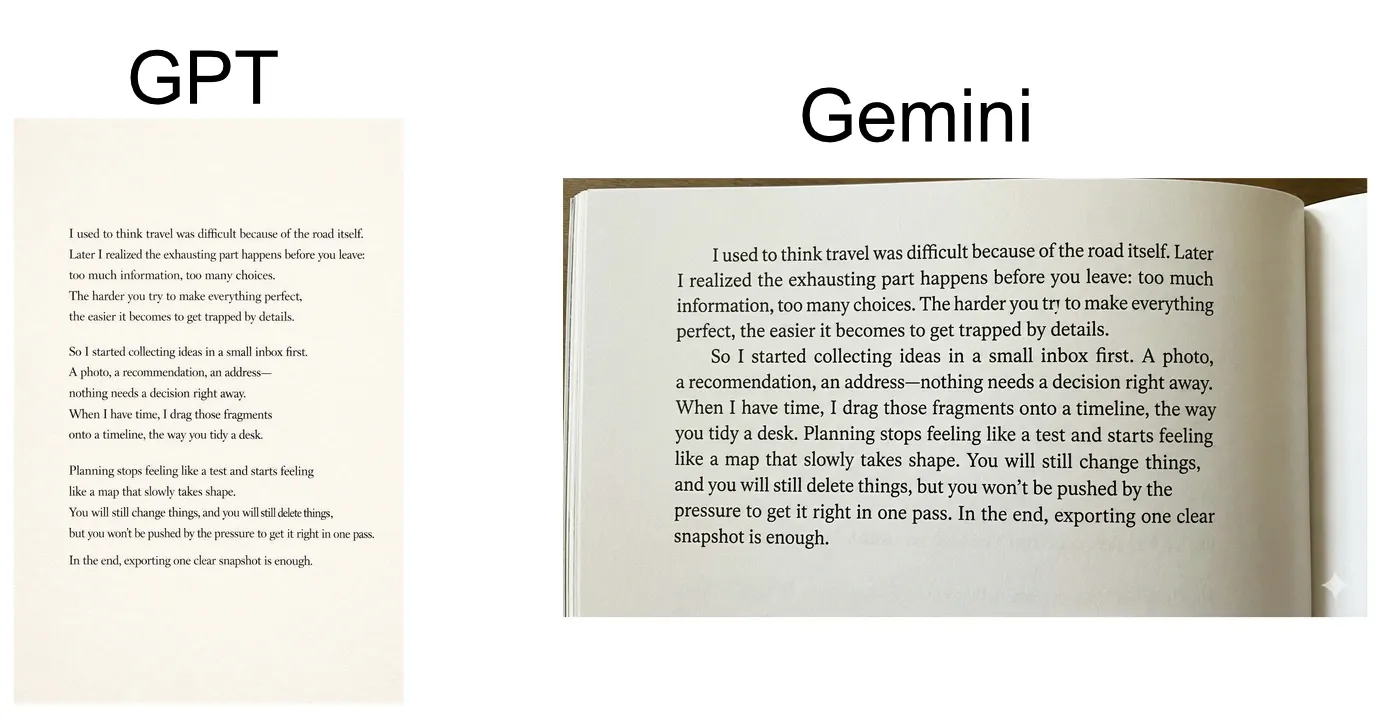
No real issues on either side. English typography is largely solved at this point.
Prompt 6 (dense Chinese newspaper-style page)
Purpose: a newspaper-style page with dense long Chinese text.
Background: light newsprint texture.
Layout: 3 columns, justified, narrow gutters, one small empty photo box (no text inside).
Typography: newspaper print feel, sharp edges, readable small font.

Text (must be EXACT, keep punctuation and line breaks):
标题:静下来的行程
副标题:把灵感放进收件箱,再拖到时间轴上
正文:
第一段:行程规划最容易失败的地方,并不是路线,而是“过早做决定”。当你还没理解自己的节奏,就急着把每一分钟塞满,计划看似完整,实际却脆弱。
第二段:更稳的做法是先记录,再排序。把想去的店、想看的展、可能的交通方式,都作为卡片存起来。等到日期确定,再按早午晚把它们放到时间线上,必要时留白。
第三段:留白不是浪费,它是弹性。天气变化、体力下降、临时的好奇心,都会在留白里被接住。最终你需要的不是一份“最强攻略”,而是一份能够被现实温柔修改的安排。

Constraints: all text must be exact; no extra text; no watermark; no logos.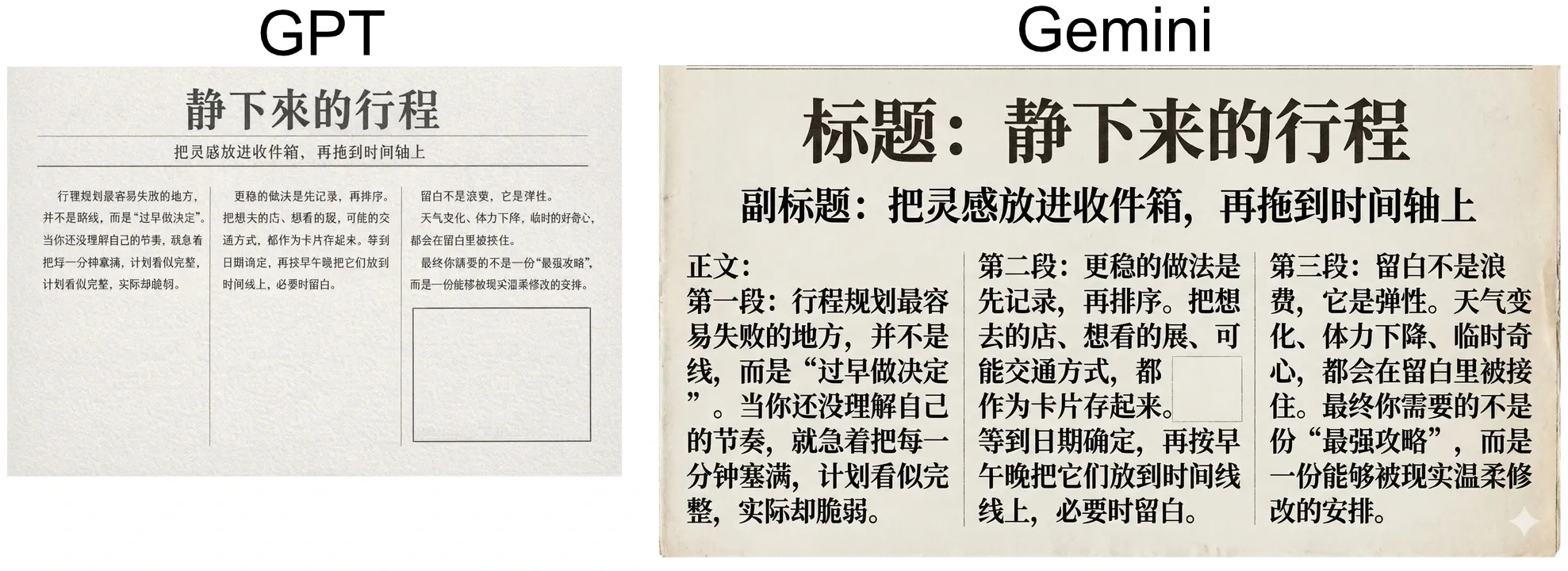
Nano Banana Pro clearly comes out ahead here. That’s not entirely surprising—OpenAI has already flagged “limitations in some languages such as Chinese, Arabic, Hebrew,” and GPT Image 1.5’s higher error rate in Chinese text rendering reflects exactly that.
This is where my opinion becomes less about “which model is prettier” and more about “which one understands what I’m asking for.”
I recently built an iOS app called TravelBrain. The core idea is simple: you collect trip ideas into an inbox, then drag them onto a timeline to assemble an itinerary. For Pro users, TravelBrain can export your itinerary as JSON—so you can paste it into a model like Nano Banana Pro or GPT Image 1.5, add a creative prompt, and generate a shareable trip graphic.
- Product page: https://www.kuroneko-cmd.dev/products/travelbrain/
- Related post: /posts/2025/travelbrain-offline-travel-planner/
Prompt 7 (3D isometric route map from TravelBrain JSON)
Generate a 3D isometric cute map illustration visualizing the travel route defined in the JSON below.
{
  "days": [
    {
      "date": "2025-12-18",
      "dayIndex": 1,
      "events": [
        { "category": "flight", "durationMinutes": 140, "endTime": "10:50", "startTime": "08:30", "title": "CA100" },
        { "category": "accommodation", "durationMinutes": 2880, "endTime": "13:50", "startTime": "13:50 (Check-in)", "title": "Heping Hotel" },
        { "category": "dining", "durationMinutes": 60, "endTime": "20:00", "startTime": "19:00", "title": "Xiaolongbao" }
      ],
      "weekday": "Thursday"
    },
    {
      "date": "2025-12-19",
      "dayIndex": 2,
      "events": [
        { "category": "activity", "durationMinutes": 720, "endTime": "20:35", "startTime": "08:35", "title": "Shanghai Disney" },
        { "category": "accommodation", "startTime": "Continuing from previous day", "title": "Heping Hotel" }
      ],
      "weekday": "Friday"
    },
    {
      "date": "2025-12-20",
      "dayIndex": 3,
      "events": [
        { "category": "flight", "durationMinutes": 150, "endTime": "20:30", "startTime": "18:00", "title": "CA001" },
        { "category": "accommodation", "durationMinutes": 2160, "endTime": "11:00", "location": "Beijing002", "startTime": "23:00 (Check-in)", "title": "Hilton" },
        { "category": "accommodation", "startTime": "13:50 (Check-out)", "title": "Heping Hotel" }
      ],
      "weekday": "Saturday"
    },
    {
      "date": "2025-12-21",
      "dayIndex": 4,
      "events": [
        { "category": "activity", "durationMinutes": 120, "endTime": "13:00", "startTime": "11:00", "title": "Tiananmen" },
        { "category": "dining", "durationMinutes": 60, "endTime": "19:10", "startTime": "18:10", "title": "Peking Duck" },
        { "category": "accommodation", "startTime": "Continuing from previous day", "title": "Hilton" }
      ],
      "weekday": "Sunday"
    },
    {
      "date": "2025-12-22",
      "dayIndex": 5,
      "events": [
        { "category": "flight", "durationMinutes": 180, "endTime": "20:20", "startTime": "17:20", "title": "ANA001" },
        { "category": "accommodation", "startTime": "11:00 (Check-out)", "title": "Hilton" }
      ],
      "weekday": "Monday"
    }
  ],
  "endDate": "2025-12-22",
  "startDate": "2025-12-18",
  "totalDays": 5,
  "tripTitle": "China Trip"
}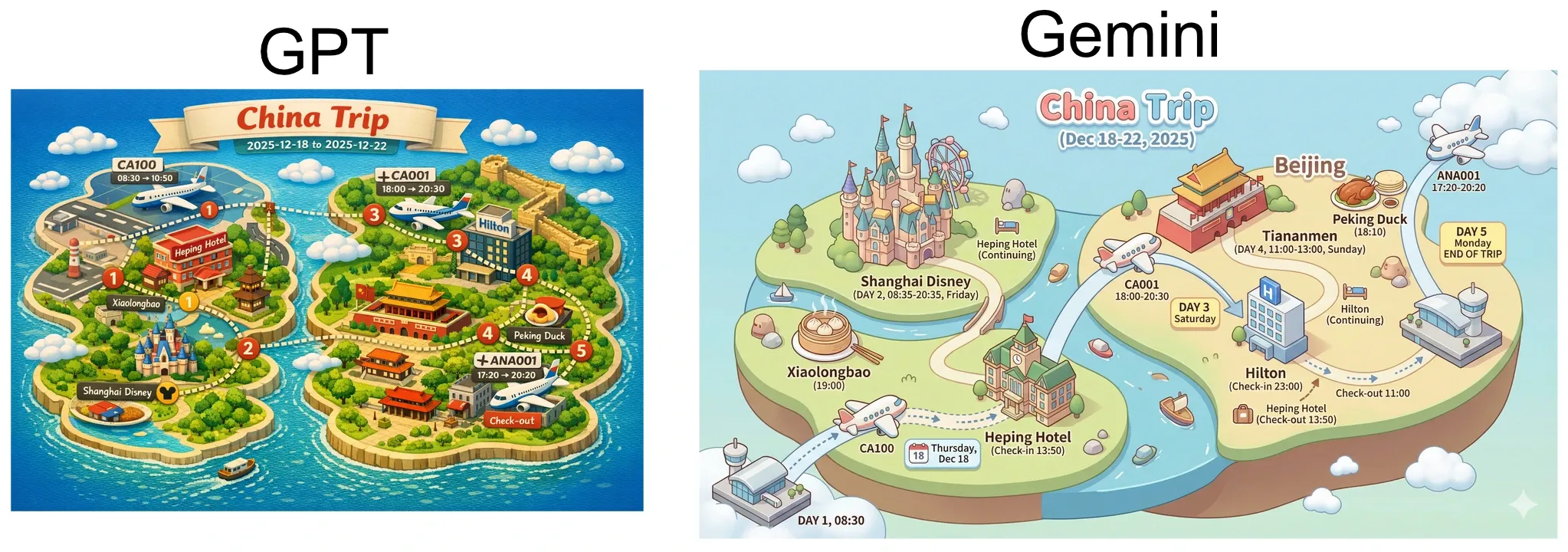
Both generated something usable. But Nano Banana Pro did one thing that felt qualitatively different: it “understood” that Xiaolongbao and Peking Duck are foods and represented them as food visuals. GPT Image 1.5 missed that association in my run. That’s not a style preference—it’s prompt understanding.
So yes: if you’re looking for the highest ceiling, Nano Banana Pro still looks like the sharper tool. But for most everyday use cases, GPT Image 1.5 is much closer than the social-media narrative suggests.
And GPT Image 1.5 has two practical advantages that are hard to ignore.
First: Gemini uses an invisible SynthID and a visible watermark for AI-generated images. In some workflows that’s a feature. In others—especially when you’re generating assets meant to be remixed, posted, or handed off—it’s friction. ChatGPT Images outputs don’t come with an in-your-face visible watermark, which makes them easier to use as “clean” building blocks.
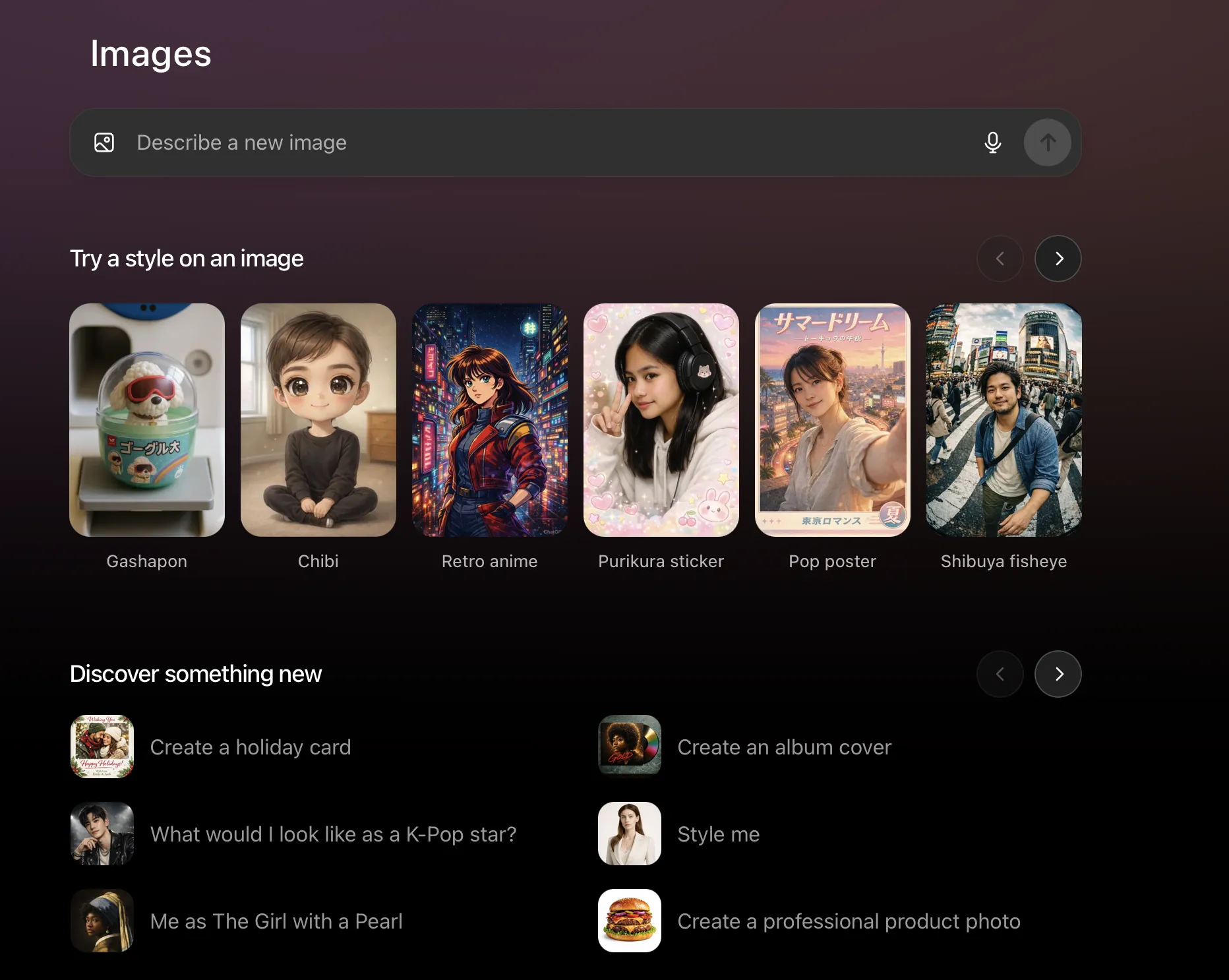
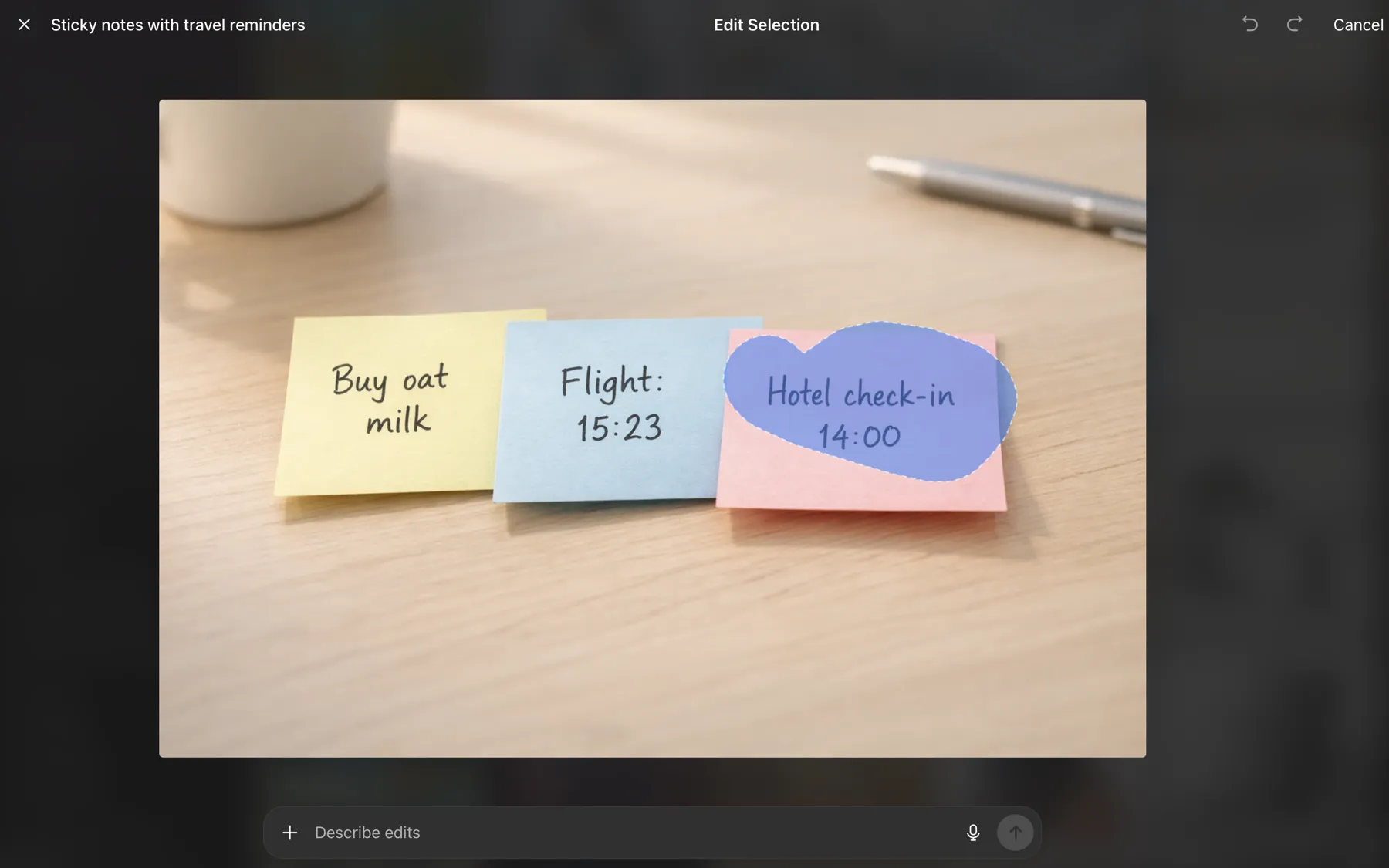
Second: the ChatGPT Images UI is simply better as a product. The “describe edits” flow feels natural, selection editing is fast, and iteration is pleasant. Even if Nano Banana Pro stays ahead on raw capability, UI is how most people experience capability.
I get why opinions are emotional right now. People don’t just react to pixels—they react to companies, Sam Altman, pricing, and trust. But looking at the model update in isolation, I don’t think GPT Image 1.5 deserves the “this is embarrassing” tier of backlash. It’s not the new king. It’s not a flop either. And it’s close enough that the next iteration could genuinely shift the story.
I’m genuinely excited for GPT Image 2.0.
Links:
- OpenAI (GPT Image 1.5 / ChatGPT Images): https://openai.com/index/new-chatgpt-images-is-here/