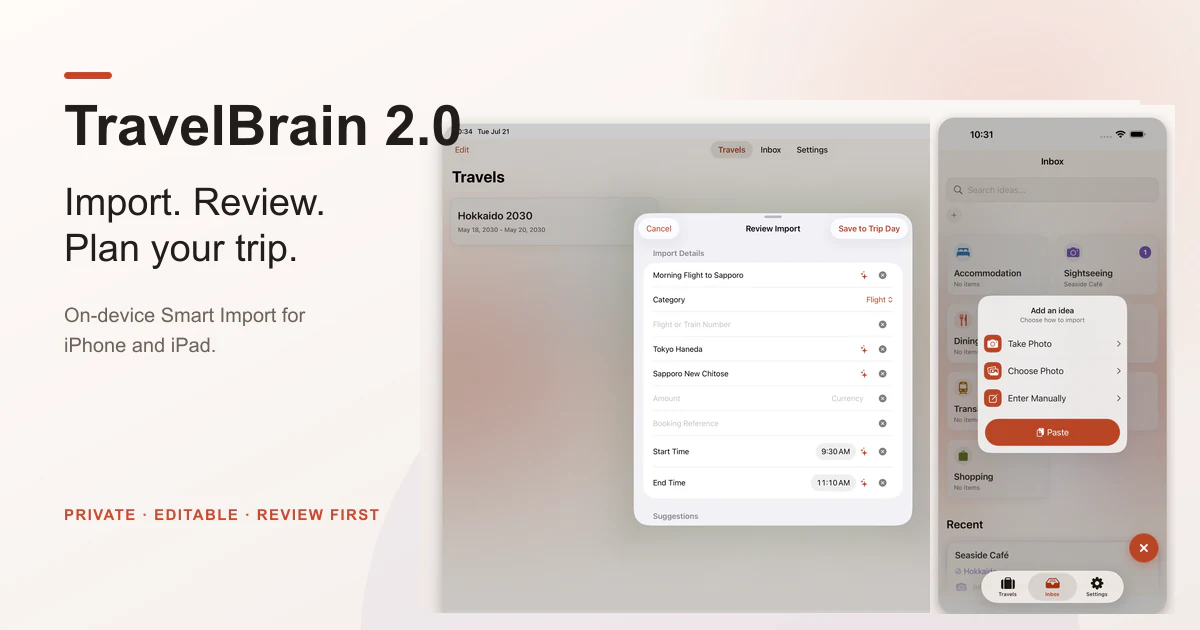
TravelBrain 2.0 is available on the App Store. Released July 23, 2026. Read the 2.0 release post for the story behind Smart Import, iPad support, and Dark Mode.
Plan with the details you already trust
Travel planning rarely begins with a blank itinerary. It begins with a flight screenshot, a hotel page, a message from a friend, or a place you want to remember.
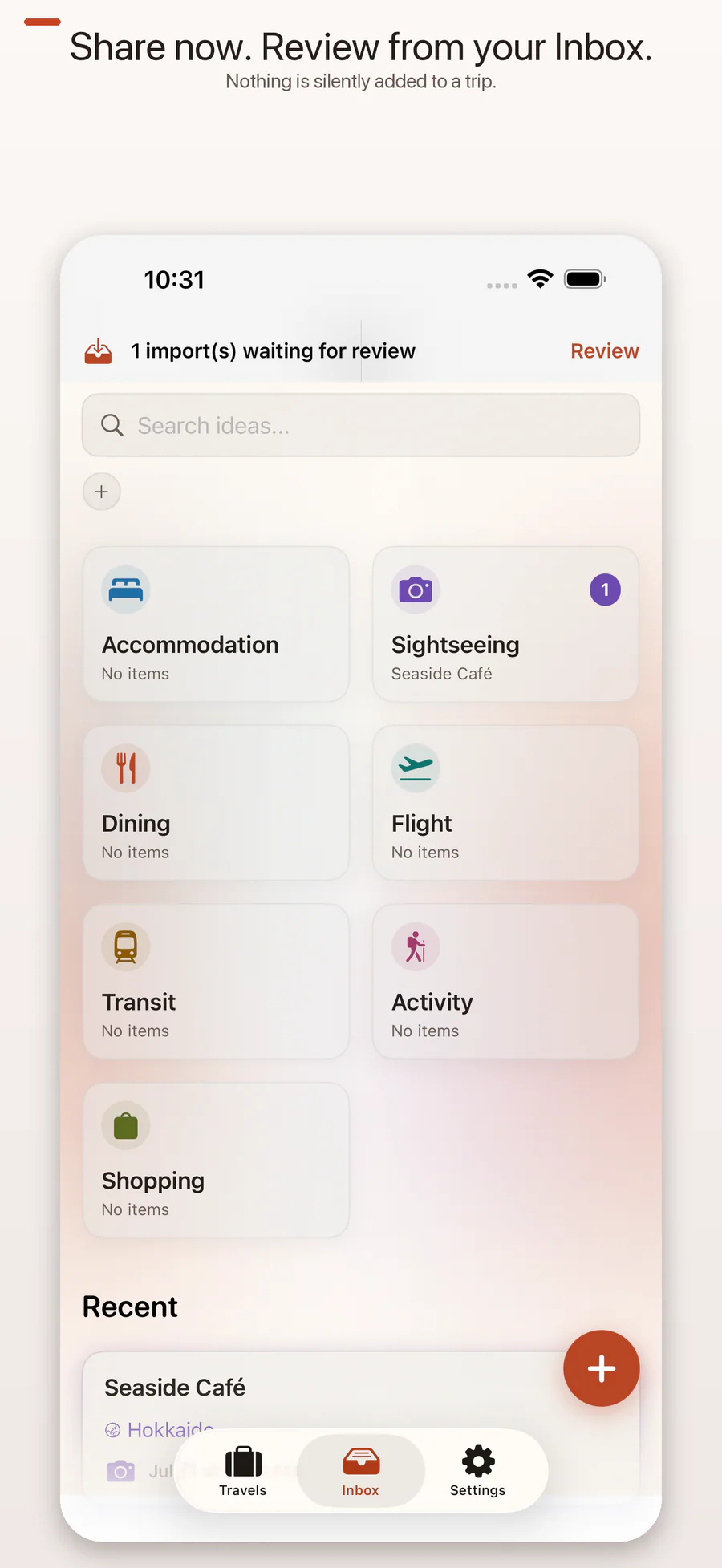
TravelBrain keeps those fragments in an Inbox until you are ready to arrange them. You stay in control of the trip: the app helps you capture and organize information, but it does not invent destinations or silently build a schedule for you.
Smart Import, with review built in
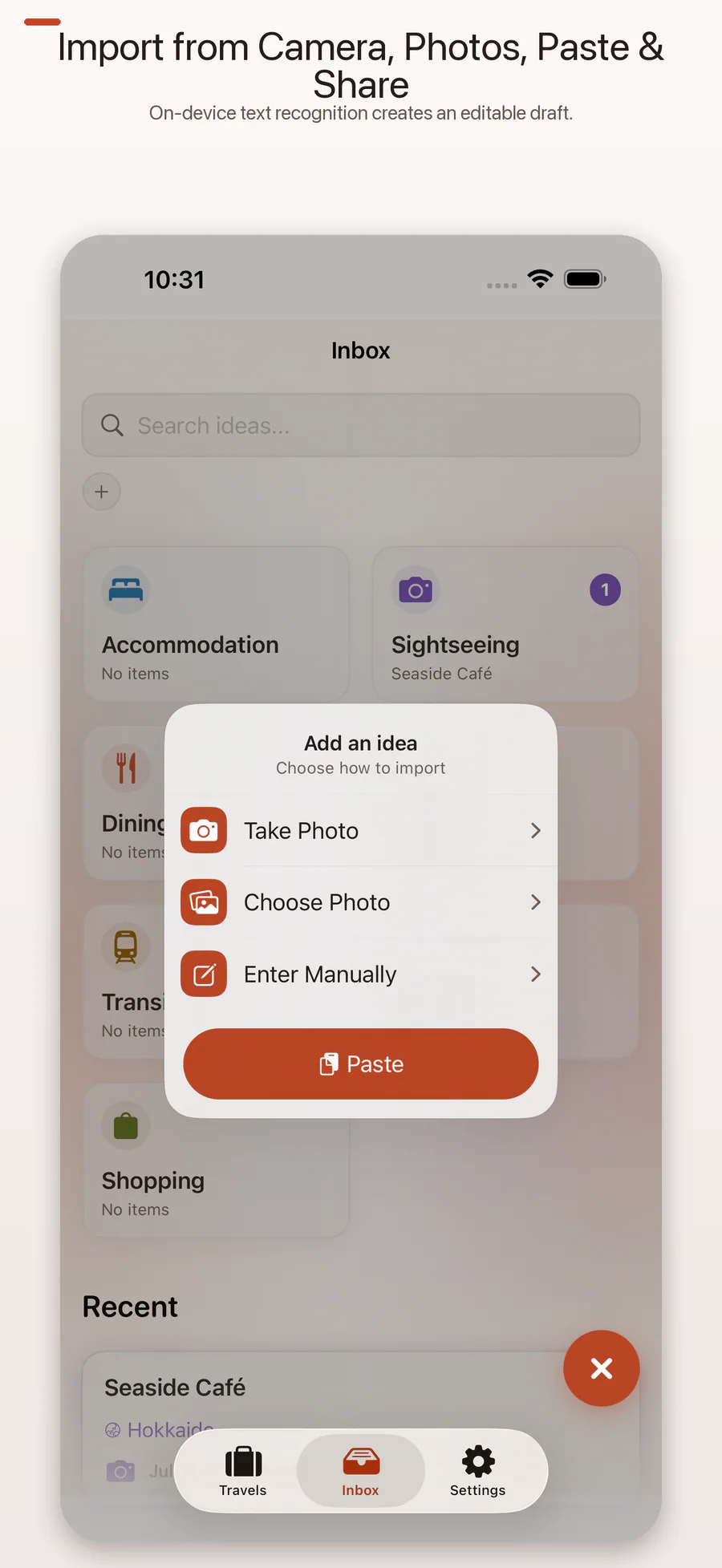
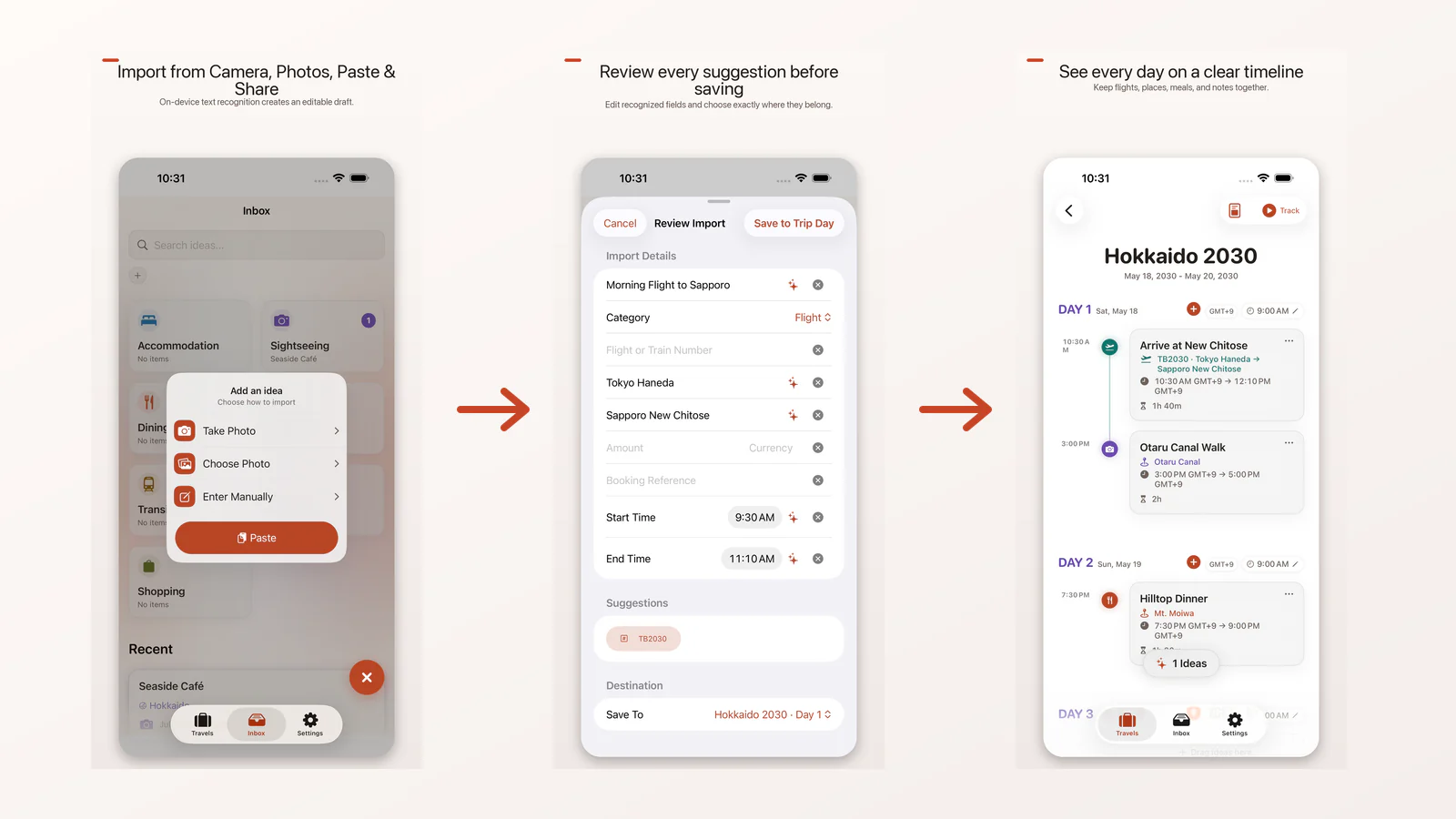
Version 2.0 adds four ways to bring a travel item into the app:
- Take Photo captures a single static image.
- Choose Photo imports one image from your photo library.
- Paste accepts text, a link, or an image you deliberately provide through the system paste control.
- Share to TravelBrain places content from another app into a pending review queue.
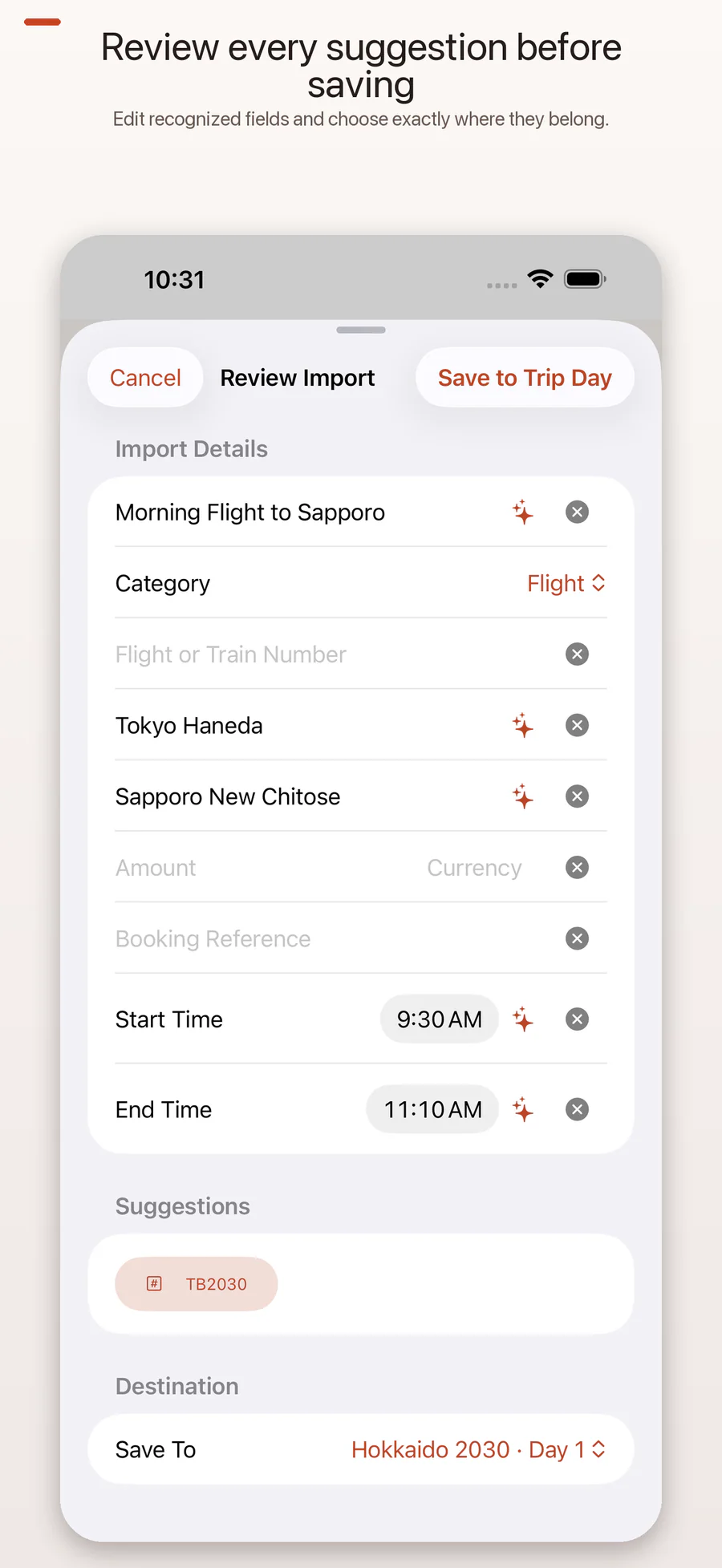
Text recognition and field suggestions run on your device. TravelBrain can suggest details such as a title, route, date, time, price, or booking reference, but nothing is saved until you review the result and tap Save. Every suggested field remains editable, and missing information can be left blank.
Recognition may be incomplete, especially with low-contrast images, dense booking pages, or complicated tables. The source image stays visible for comparison, so you can correct or remove a suggestion before it becomes part of your trip.
TravelBrain does not read your email, scan your photo library in the background, or run a live camera scanner. Smart Import only processes the single item you choose.
From Inbox to timeline
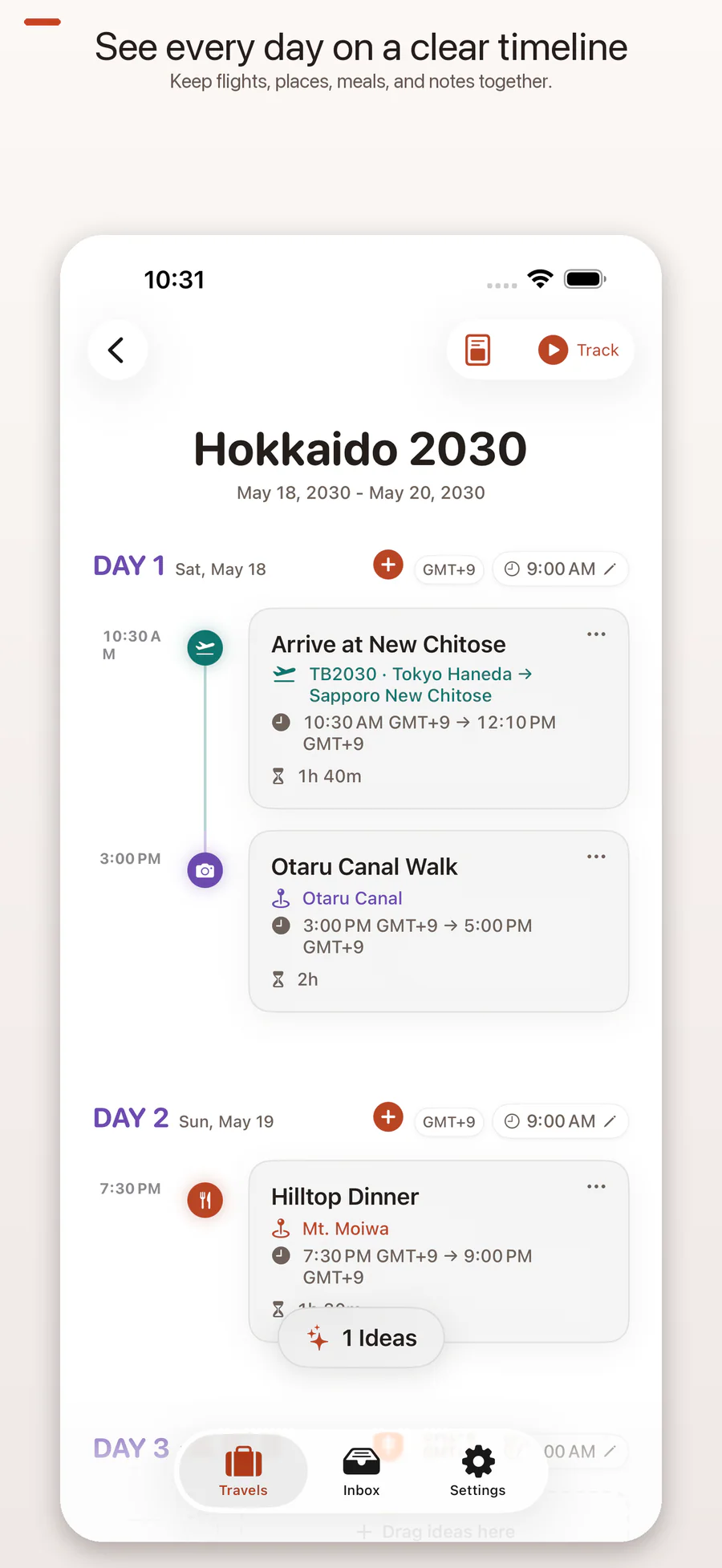
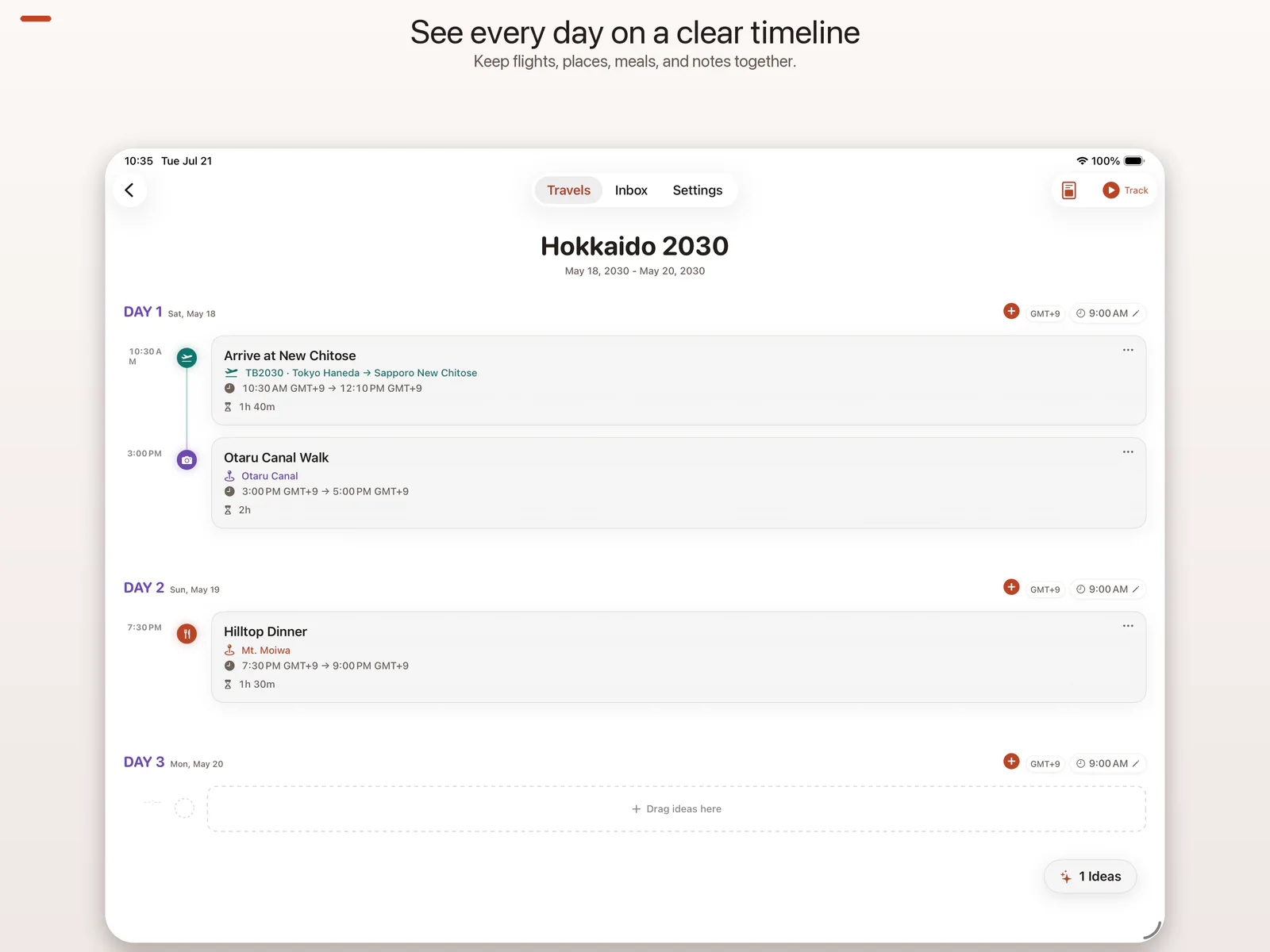
Collect hotels, flights, transit, restaurants, attractions, and free-form ideas in the Inbox. When a piece is ready, review it and move it onto a day-by-day timeline. You can reorder events, refine times, and keep uncertain ideas outside the schedule until they make sense.
The core planning loop remains intentionally simple:
- Capture or enter an idea.
- Review the details.
- Keep it in the Inbox or place it on a trip day.
- Rearrange the timeline as the plan changes.
Designed for iPhone and iPad
TravelBrain 2.0 includes a native iPad layout rather than an enlarged iPhone screen. Its full-width adaptive content, wider trip views, and familiar tab navigation use the larger display while keeping Trips, the Inbox, and Settings easy to reach.
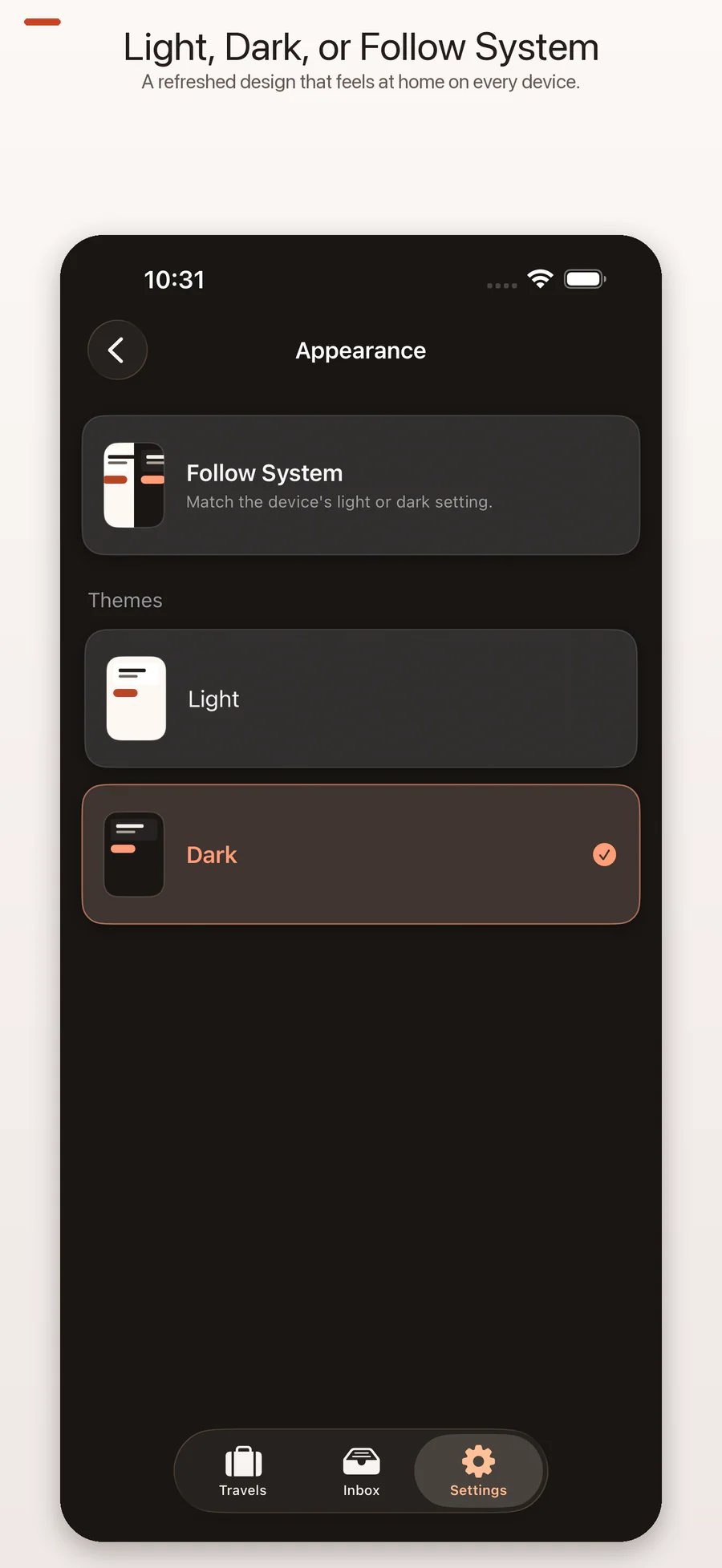
The updated interface is available in System, Light, and Dark appearances. Choose a fixed appearance in Settings → Appearance, or let TravelBrain follow the device setting.
Useful on the day of travel
- Local notifications can remind you about upcoming itinerary events.
- Live Activities can keep the current event visible on the Lock Screen and Dynamic Island on supported devices.
- Manual Backup & Restore lets you export a backup through the system document picker to iCloud Drive, Files, or another location you choose.
- Share Extension keeps shared content pending until you review it inside the main app.
Notifications, Live Activities, sharing, and backups are all user-initiated or controlled through iOS settings.
TravelBrain Pro — one purchase, no subscription
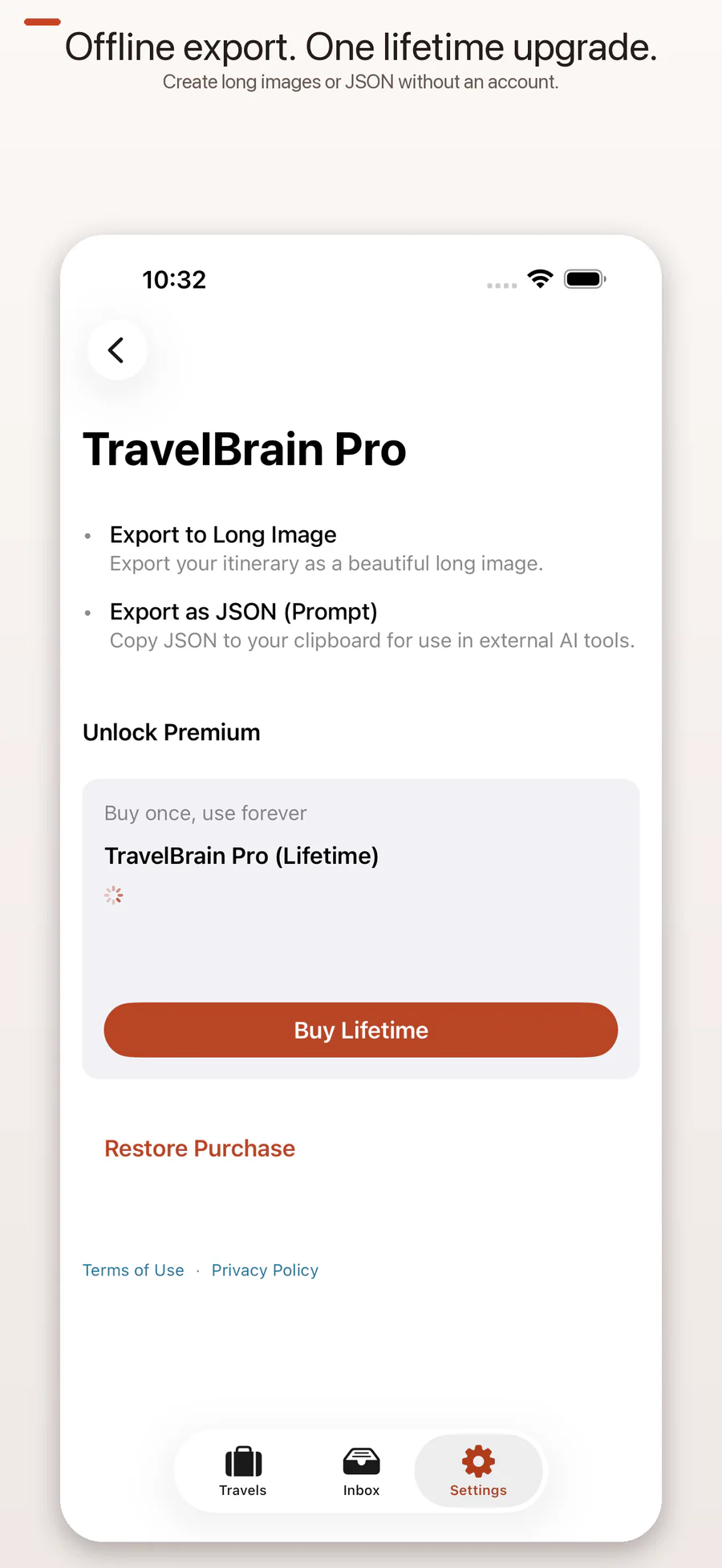
The core planning experience is free. TravelBrain Pro (Lifetime) is an optional one-time purchase that unlocks the export tools. There is no monthly or annual subscription.
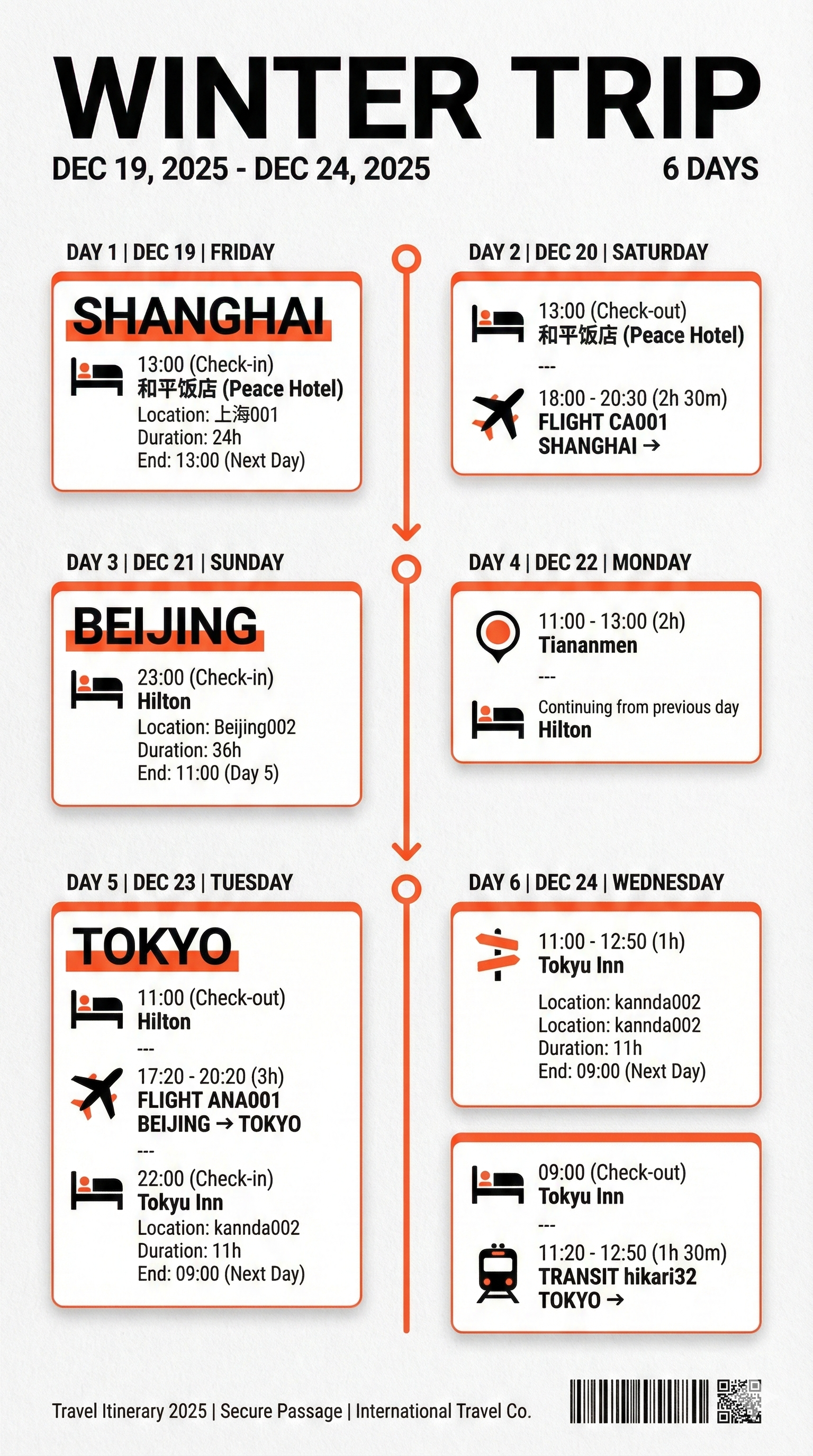
- Export as Long Image creates a shareable, template-based image of your itinerary.
- Export JSON copies structured itinerary data for use in another tool of your choice.
TravelBrain does not send exported JSON to an external AI service. If you decide to paste the JSON into another service, you choose the service and the information you share with it.
Previous purchases can be restored from Settings → TravelBrain Pro → Restore Purchases. Apple processes the purchase; we do not receive your payment details.
Creative exports
These examples were made outside TravelBrain using an itinerary JSON export. They are optional creative outputs, not automatic in-app generation.


Private by design
TravelBrain works without an account, advertising, analytics SDKs, or developer-operated cloud storage.
- Smart Import recognition runs on your device.
- Travel data, imported images, and settings remain in the app unless you explicitly export or share them.
- Manual backup files go only to the location you choose through the system document picker.
- Notification content is generated locally and is not sent to an external server.
See the full TravelBrain Privacy Policy for details.
Requirements and support
TravelBrain 2.0 requires iOS 26 or later and supports both iPhone and iPad.
If you run into a problem, visit the TravelBrain support notes or email contact@kuroneko-cmd.dev.
Your use of TravelBrain is also governed by Apple’s Standard End User License Agreement.