Release status — July 21, 2026: TravelBrain 2.0 has been submitted for App Store review and is coming soon. The update will roll out automatically after Apple approves it; the current App Store download remains available in the meantime.
Travel plans often begin as screenshots. A flight result sits in Photos, a hotel page is open in a browser, and a useful address is buried in a message. The original TravelBrain gave those fragments an Inbox and a timeline, but entering every detail by hand added friction at exactly the wrong moment.
TravelBrain 2.0 makes capture faster without handing control to an automatic planner. It adds Smart Import, a native iPad experience, a redesigned interface with Dark Mode, and a safer path for sharing content into the app.
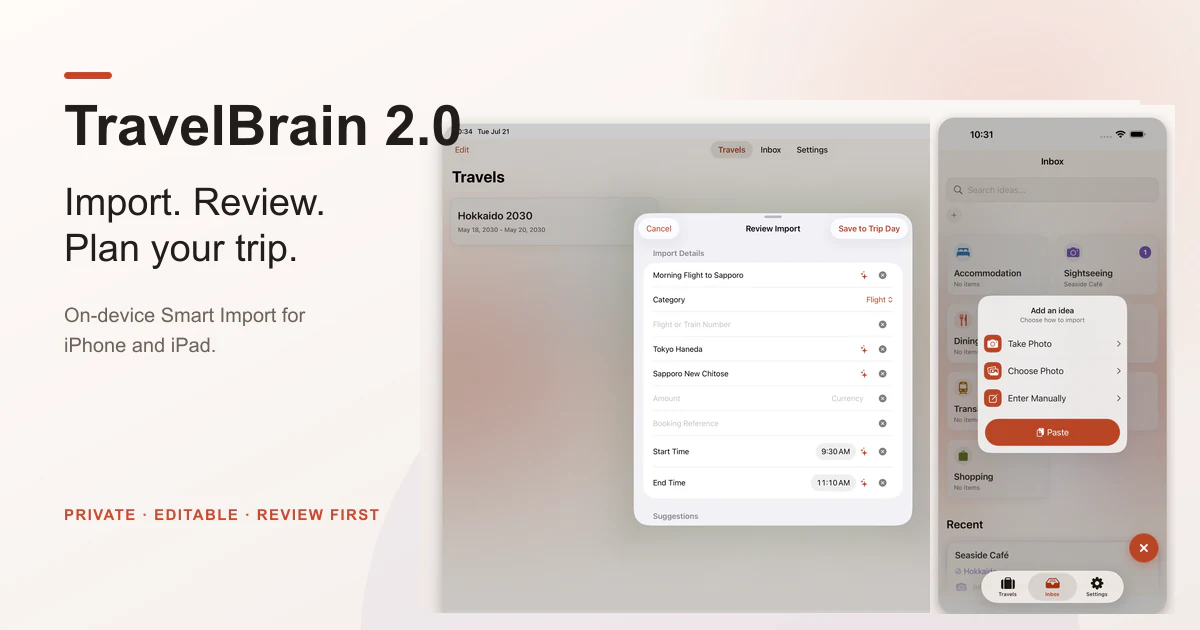
Smart Import is an assistant, not an authority
From the Inbox, you can now take a photo, choose one from Photos, paste supported content, or enter the details manually. You can also share text, a link, or an image to TravelBrain from another app.
For images, text recognition runs on the device. TravelBrain then suggests editable fields such as a title, route, date, time, price, or booking reference. The result always opens in a review screen. Nothing becomes part of the Inbox or a trip until you explicitly confirm it.
That review step is the most important part of the feature. A travel screenshot is not a clean document: booking pages contain navigation, promotions, multiple options, tiny footnotes, and tables that can be difficult to read. Recognition is useful, but it is not perfect.
Low-contrast screenshots and complicated layouts can still produce missing or mismatched suggestions. The source image stays visible for comparison, every suggested field can be changed or cleared, and uncertain fields can remain blank. I will continue improving recognition precision and coverage in future releases, but the safe behavior will remain the same: review first, save second.
Smart Import handles one item that you deliberately provide. It does not read email, scan the photo library in the background, process batches of screenshots, or run a continuous camera scanner.
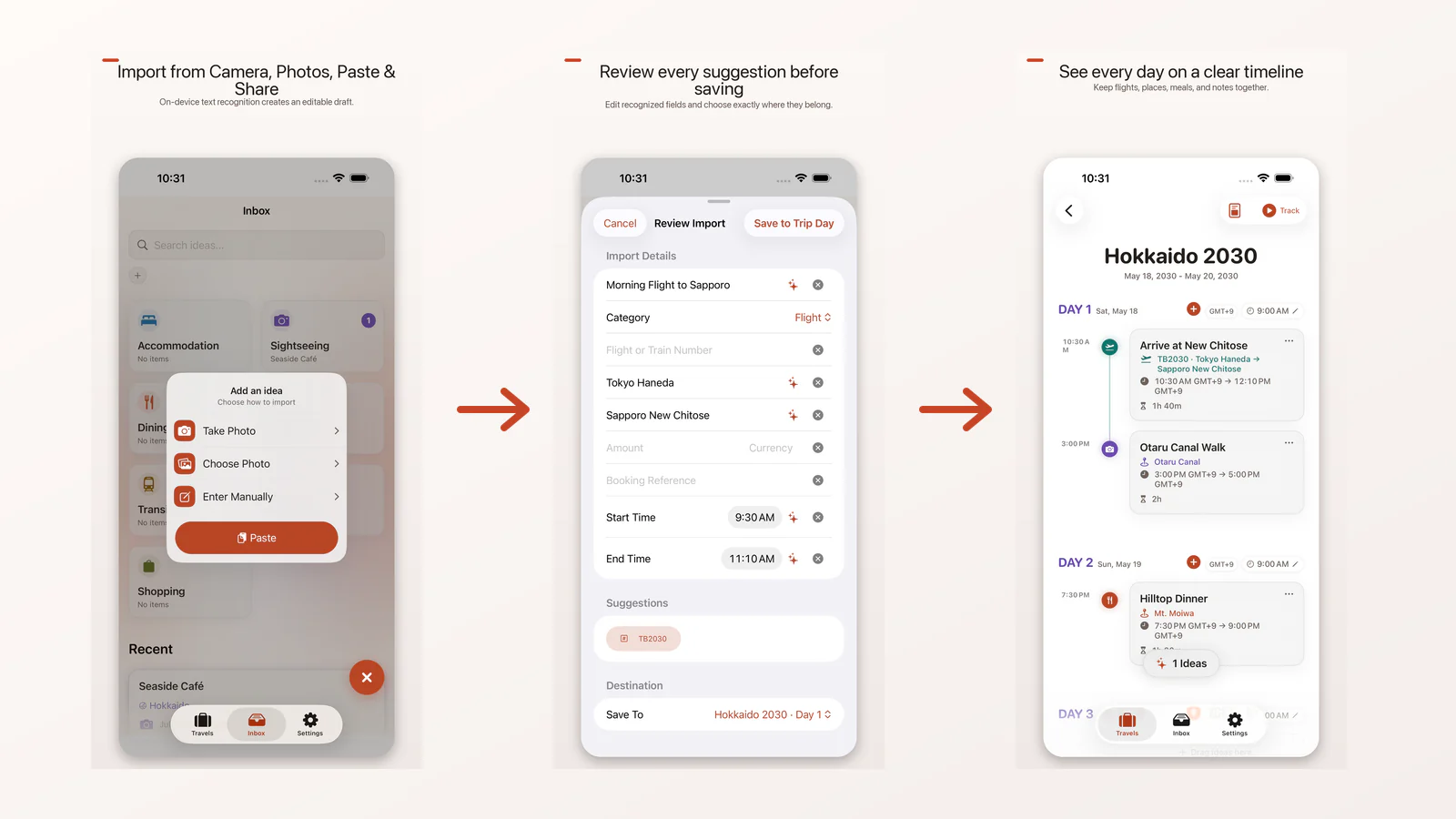
A single path from capture to itinerary
The import sources converge on one workflow:
- Choose a photo, take a photo, paste, share, or enter an idea manually.
- Compare the proposed details with the source.
- Edit, clear, or add any missing information.
- Save the item to the Inbox or, when an eligible trip day exists, place it on the timeline.
Shared content deliberately waits in a pending queue until the main app opens. The Share Extension never silently changes an itinerary in the background.
This keeps the original TravelBrain model intact: collect first, arrange later. Smart Import shortens the typing step, but you still decide what the information means and where it belongs.
TravelBrain now feels at home on iPad
Version 2.0 is a native iPhone and iPad app. On iPad, a full-width adaptive layout uses the wider screen instead of stretching the iPhone interface. At regular widths, the familiar tabs move into a floating control at the top while trip and Inbox content can expand across the display.
The app keeps one stable root tab structure through rotation and multitasking, so moving between compact and regular widths does not turn trip planning into a navigation reset.
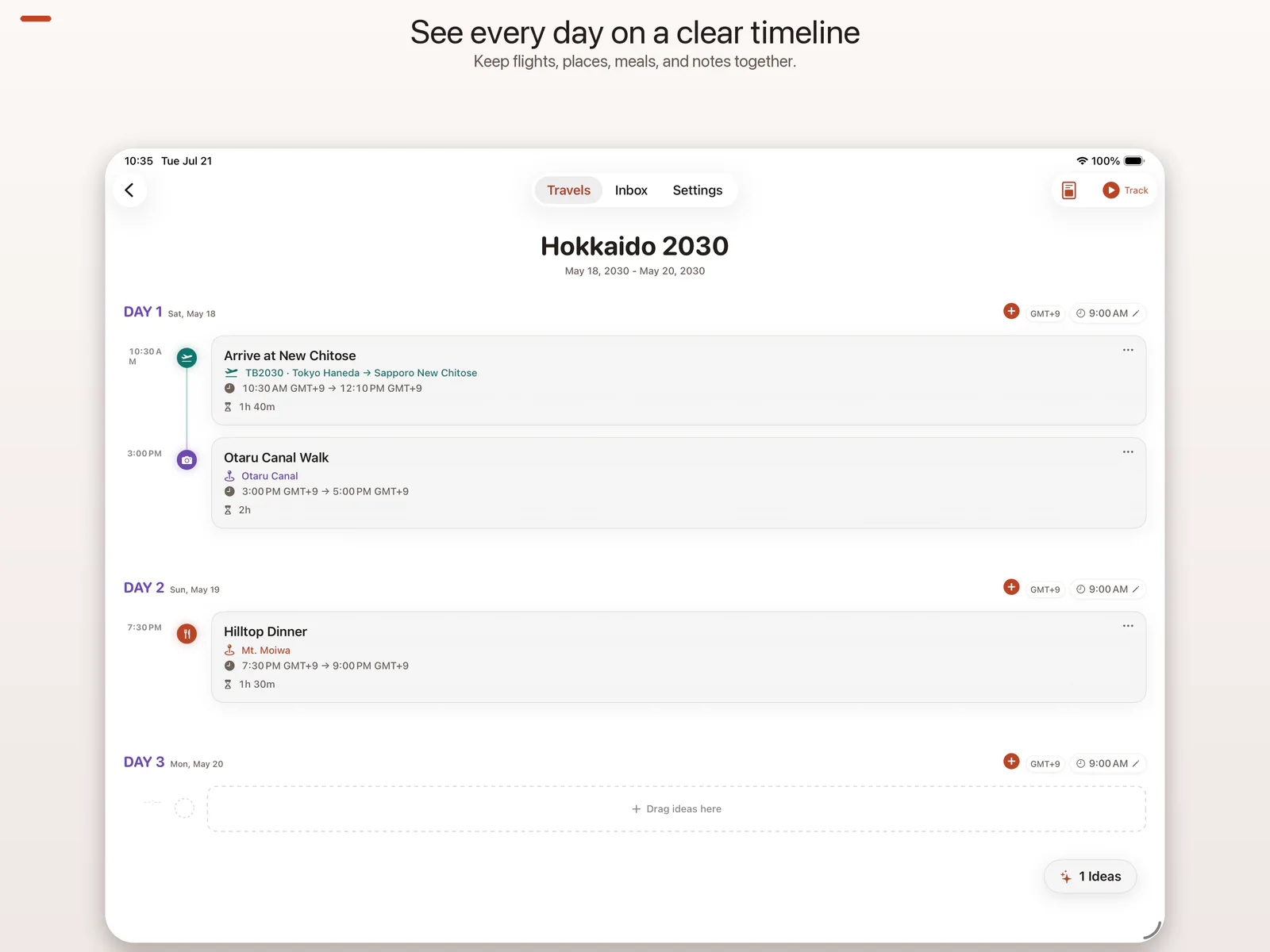
A new interface, including Dark Mode
The visual design has been refined across trips, the Inbox, timelines, review screens, and Settings. The update focuses on clearer hierarchy, stronger contrast, and a more consistent surface system rather than adding decorative controls.
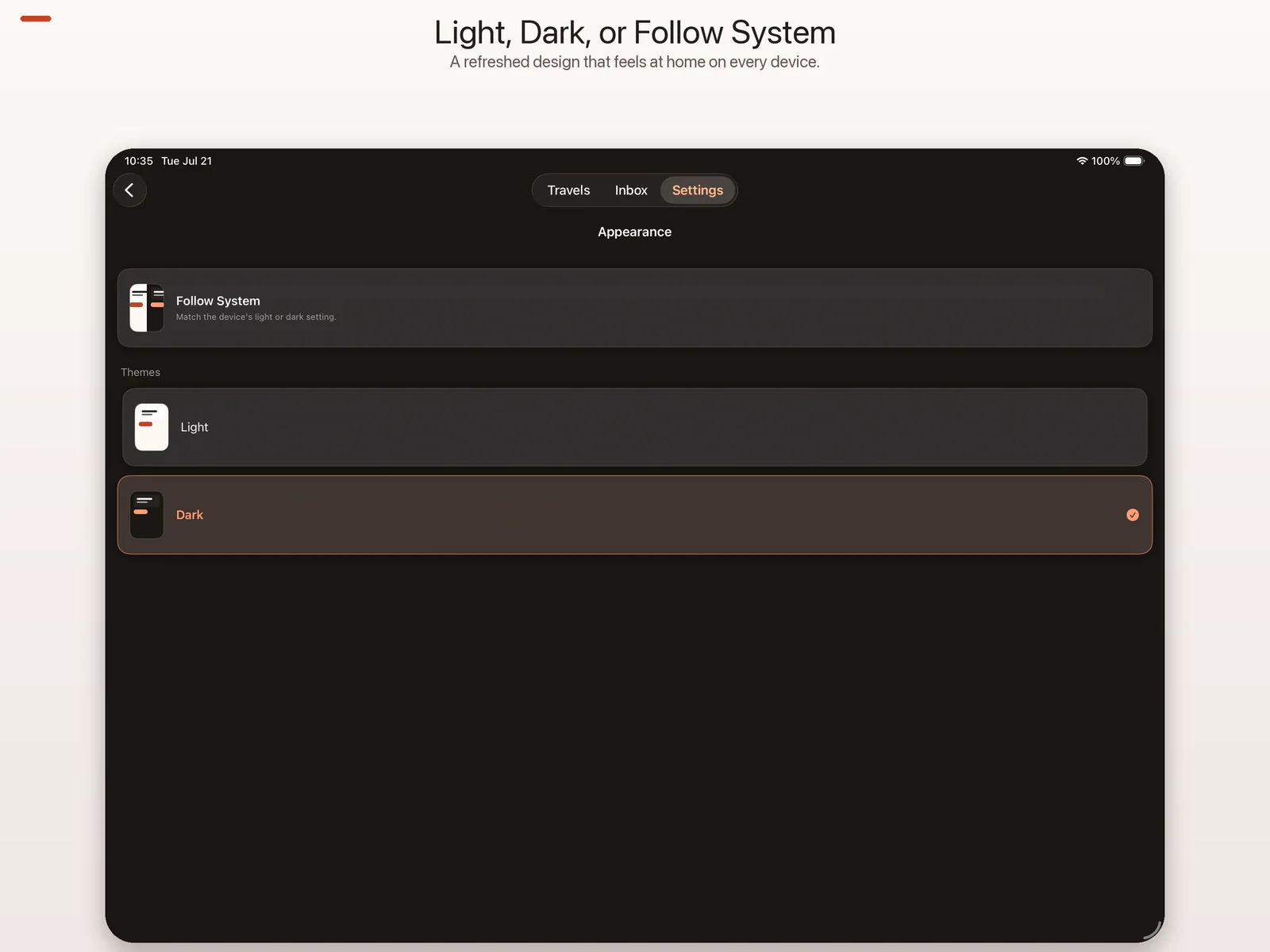
TravelBrain now offers three appearance choices:
- System follows the current device appearance.
- Light keeps a bright workspace for daytime planning.
- Dark provides a dedicated darker interface for low-light use.
The selected appearance is remembered and applies across the app.
Privacy remains the boundary
TravelBrain still works without an account, advertising, analytics SDKs, or a developer-operated cloud service.
Recognition happens on-device. Travel items, imported images, and recognized text remain in the app unless you choose to export or share them. Optional backups are created manually through the system document picker and go to the Files or iCloud Drive location you select; they are not automatic cloud sync.
TravelBrain Pro remains an optional one-time Lifetime purchase with no subscription. It unlocks long-image and JSON exports. JSON export does not call an AI service inside TravelBrain—you decide whether to use the exported data elsewhere.
Coming soon
TravelBrain 2.0 requires iOS 26 or later and supports iPhone and iPad. It has been submitted for App Store review and will roll out automatically after approval.