TalkMirror does one small thing: you speak, you pause, and you hear yourself straight away. That loop has not changed since the first version, and it does not change in 2.0 either. What changes is everything around it.
Speaking practice is repetitive by nature. You say the same sentence again, you run the same presentation again, you open the same screen again tomorrow. Until now TalkMirror had one look for all of that, and Stage Pacing in particular still carried a sci-fi dashboard from an early experiment: a tech grid, a spinning wireframe sphere, warning labels inside the ring. It worked, but it never felt like a place you would choose to come back to.
Version 2.0 lets you choose. The whole app now comes in five themes, and each one redraws all three practice modes, not just the accent color.
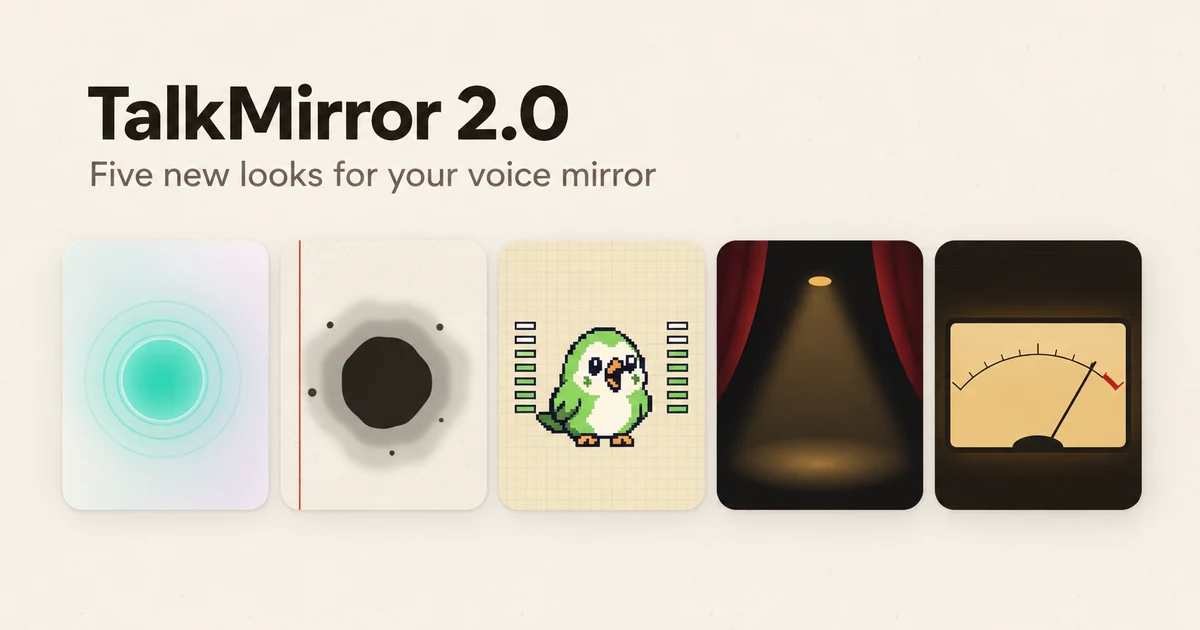
Five ways to look at your own voice
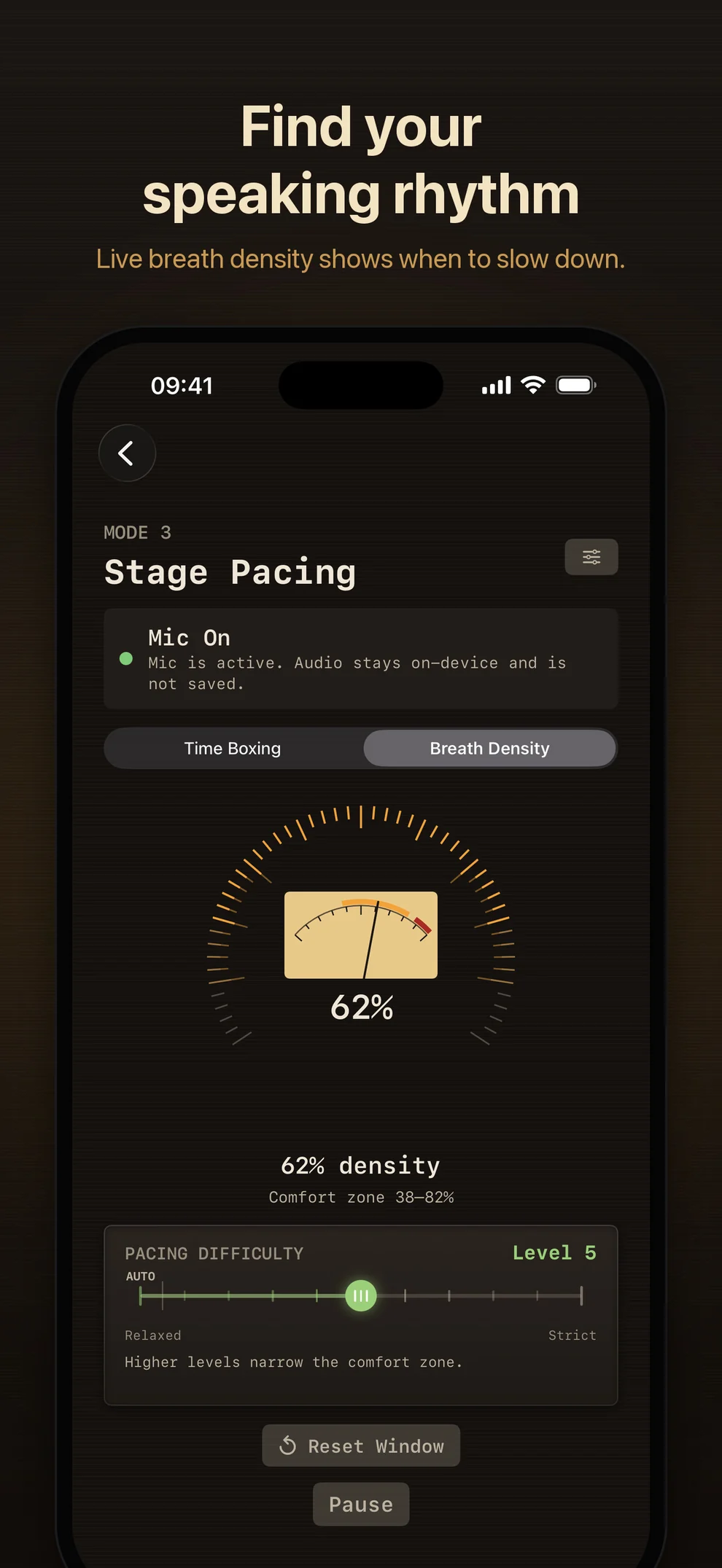
Default keeps the calm glass look, with a soft orb that swells while you speak. Paper & Ink puts serif type on paper with a vermilion margin rule; an ink drop spreads while you talk and dries back when you pause, Stage Pacing writes its timer as a single brush circle, and checkpoints land like a red seal. Pixel Arcade is the loud one: a cream grid, chunky borders, and a pixel companion — a parrot, a fennec, or a kid in headphones — that listens, moves its mouth while you speak, sings along to the playback, and reacts to your breath density with a face instead of a number. Spotlight is a dark stage between red curtains, where a spotlight brightens with your voice and a row of footlights counts down your rehearsal. Night Radio is my late-night favorite: an amber VU meter for your voice, a tuning dial for your timer, and an oscilloscope trace for Shadow Read.
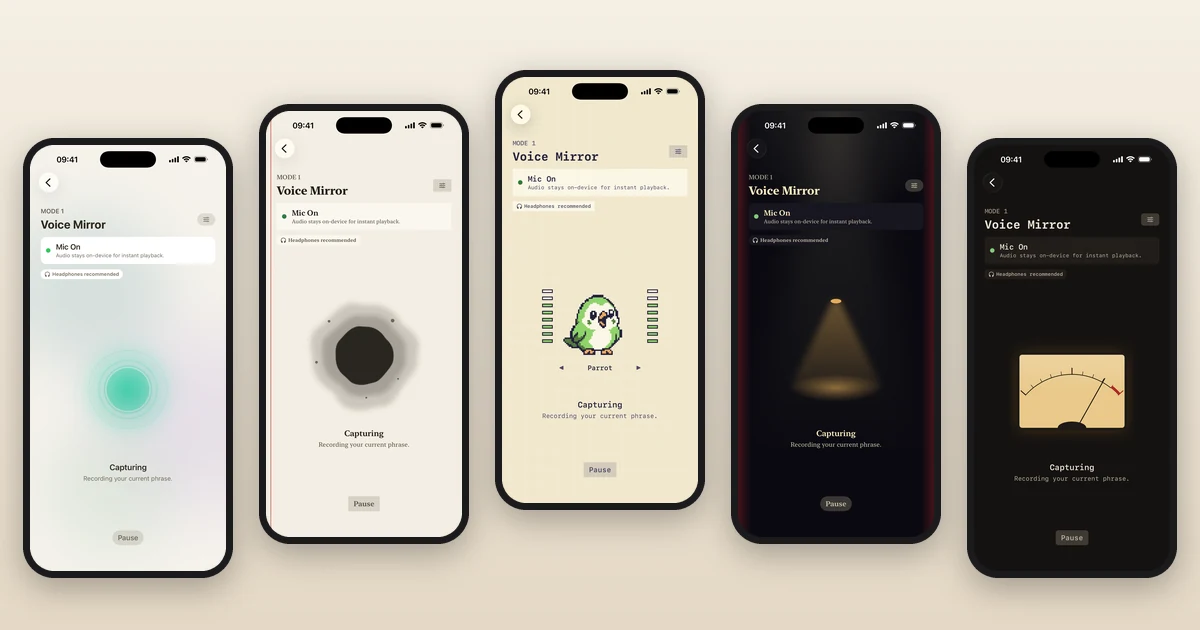
Spotlight and Night Radio are always dark; the other three follow your Light or Dark setting. You can switch from the palette button next to the title on the home screen, and the home screen changes behind the sheet as you tap, so you see the result before you commit. Themes are free and change appearance only. None of them measures anything the others do not.
<video class=“mx-auto mt-8 w-full max-w-xs rounded-3xl” src=“/products/talkmirror/v2.0/talkmirror-2-0-preview.mp4” poster=“/products/talkmirror/v2.0/talkmirror-2-0-preview-poster.webp” width=“444” height=“962” autoplay muted loop playsinline aria-label=“TalkMirror 2.0 screen recording: the Pixel Arcade parrot talks along and sings back a phrase, the home screen switches between themes, Shadow Read captures a line in Paper & Ink, and Stage Pacing footlights count down in Spotlight”
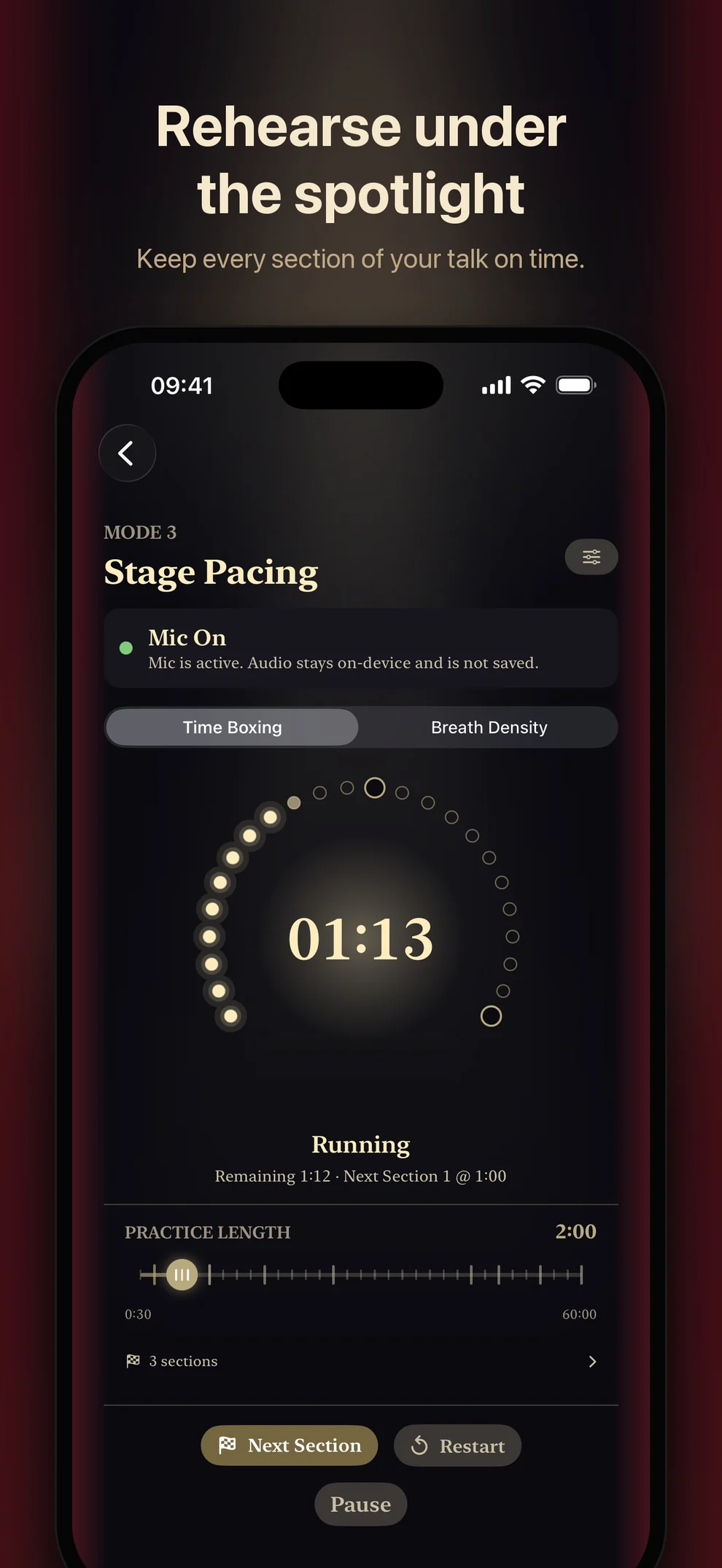
The redesign also cleaned up Stage Pacing itself. The grid, the sphere, and the dashboard labels are gone. What is left is a thin ring, a soft light in the middle, and the status in plain text underneath. The practice controls did not move.
A small finish, and nothing to score
After a session in which you actually spoke, going back to the home screen plays a two-second finish in your theme’s style. Paper & Ink stamps a seal, the pixel companion jumps and cheers, Night Radio switches from ON AIR to OFF AIR with a click, and Spotlight dims the lights for a curtain call. It never shows a duration, a count, or a grade. It is there to mark the end of a practice, not to evaluate it, and you can turn it off in Settings.
The first launch got the same treatment. Instead of explaining the app, TalkMirror now opens straight into Voice Mirror with one short sentence to read. You read it, you pause, and the first thing the app does is play your own voice back to you. A small card then points out the two other modes and the way back to the home screen.
iPad, headphones, and the speaker
TalkMirror now runs natively on iPad. The layout centers on the large screen, and the practice visuals scale up with it; a narrow Split View window gets the iPhone layout.
Two changes are less visible but matter more in daily use. First, putting on or taking off headphones or AirPods in the middle of a session no longer stops it. Audio moves to the new device, a short notice tells you where it went, and you keep talking. Calls and other interruptions still pause, and going to the background still stops the microphone until you tap Resume.
Second, practicing on the built-in speaker is calmer. In Shadow Read, the room’s echo of the reference voice could occasionally be mistaken for you speaking. TalkMirror now waits a moment after the reference finishes before it listens again, and the next line appears first so you know when to start. When you are on the speaker, a small label also suggests headphones, which remain the best way to hear yourself clearly.
What did not change
Practice audio is still processed in memory for immediate playback. It is never saved as an audio file and never uploaded. There is still no account, no ads, no subscription, and no locked practice feature; all five themes are included. The free 100-prompt practice library, your own scripts, optional local reminders, and the pressure-free Progress page all carry over as they were.
If you already use TalkMirror, 2.0 is the same mirror in a room you get to decorate. If you have not tried it, the first sentence takes about five seconds.