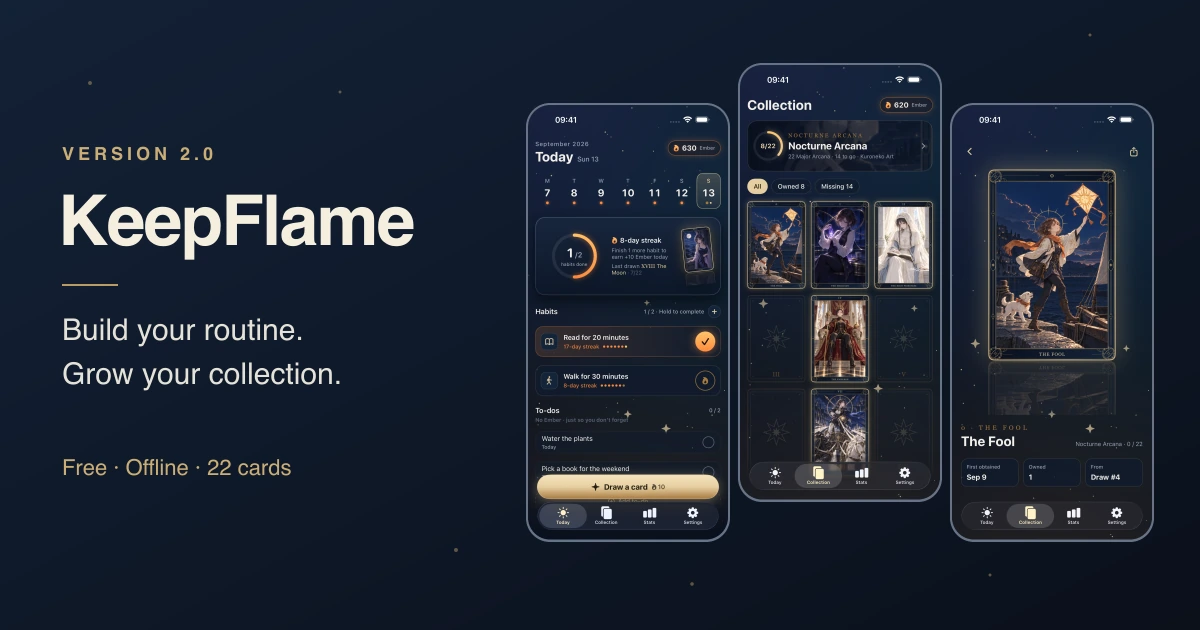
KeepFlame 2.0 is now available on the App Store. It is the biggest change the app has had since launch: the reward system has been rebuilt from scratch, the interface has been redesigned around it, and everything in the current version is free.
When I first released KeepFlame in late 2025, the reward for sticking with your habits was a short animated scene from one of several themed worlds. I liked the idea, but the longer I lived with it, the clearer its weakness became. You watched a scene, and then it was gone. Nothing added up. A month of good days left you with nothing more than a single good day did.
Version 2.0 keeps the part of KeepFlame that worked — an offline, account-free habit tracker — and replaces the reward with something that stays: a collection of illustrated cards you build one day at a time.
From watching a reward to keeping one
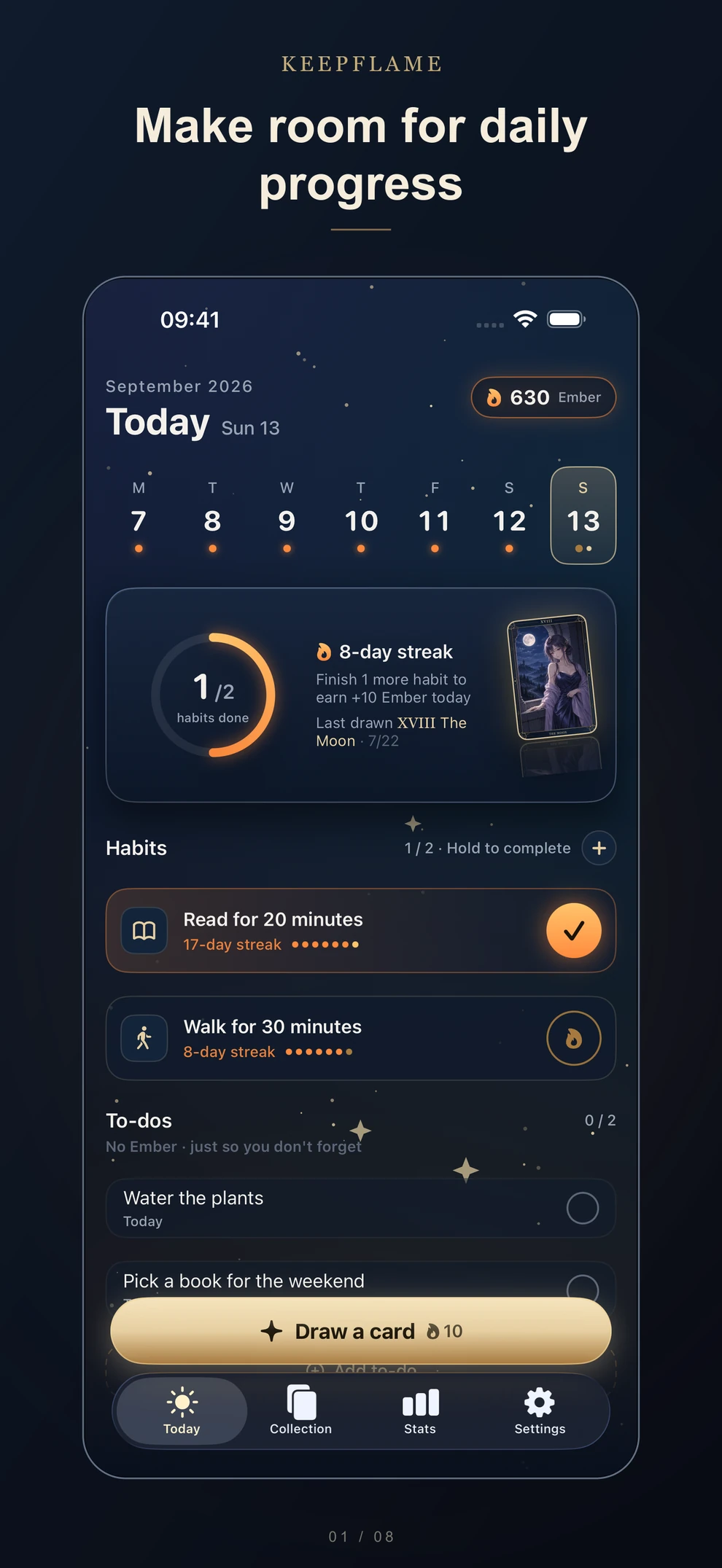
The new loop is simple. Complete all of today’s scheduled habits and you earn 10 Ember. Spend 10 Ember and you draw a card. The card goes into your Collection, and the empty slots that remain are a quiet reason to come back tomorrow.
The rules are deliberately predictable:
- Your first launch gives you 10 Ember, so you can try a draw right away.
- A perfect day earns 10 Ember once. Every seven consecutive perfect days adds another 10.
- Each draw gives you a card you do not already own. There are no rarity tiers and no duplicates, so 22 draws always complete the set.
- To-dos and backfilled past days do not earn Ember.
- Ember and cards cannot be bought, traded, or redeemed for money.
I call it a gacha-style draw because that is what it looks like on screen: three face-down cards, a pick, a flip, a burst of light. But I intentionally removed the parts of gacha I do not like. There are no odds to worry about, no pity counters, and no way for money to buy progress. The collection bar only moves forward, and only because you did the thing you said you would do.
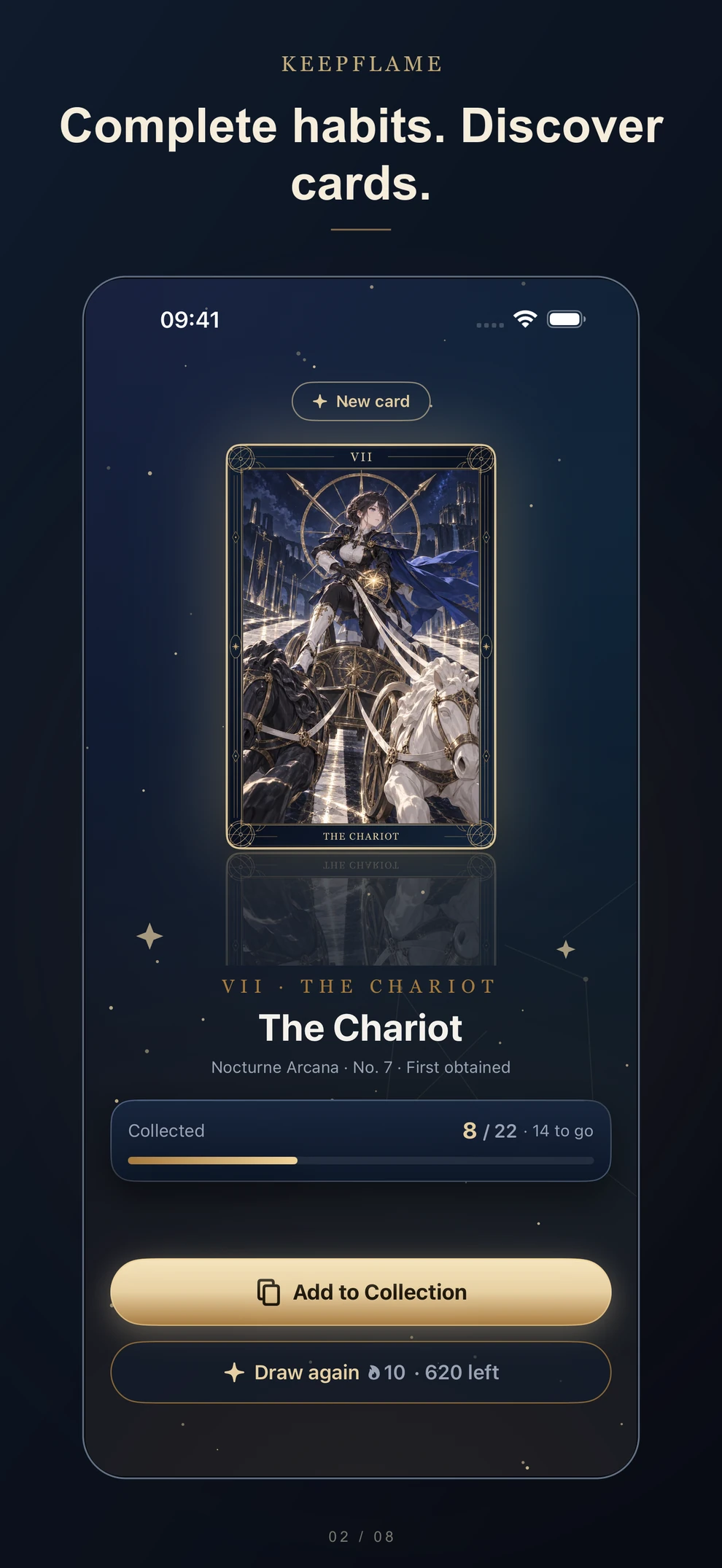
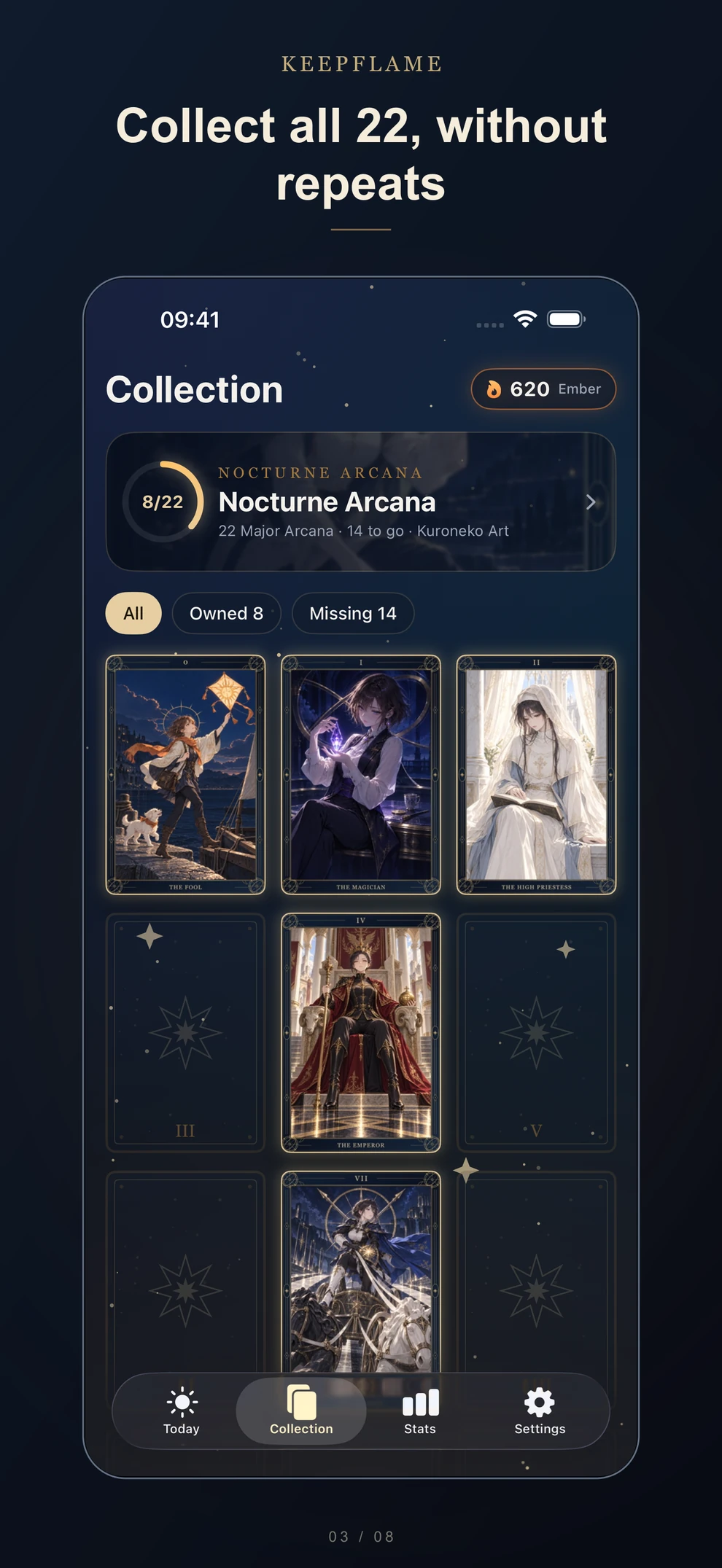
The first series is Nocturne Arcana: 22 original illustrations based on the Major Arcana, in a detailed anime style with a shared frame and a night-sky palette. The tarot imagery is purely visual. KeepFlame does not do readings or predictions. You can open any card you own, look at it properly, and share its image through the iOS share sheet.
Once you have all 22, you can keep the finished collection as it is or start the series over. Starting over clears the cards you own in that series but keeps your draw history and statistics. I plan to add new series in future updates.
An interface that finally matches the idea
The old UI was a fairly standard list with checkboxes. The redesign treats the whole app as part of the same night sky as the cards: deep indigo backgrounds, antique gold outlines, and faint stars that slowly breathe. Gold is used for the calm, static parts of the interface; orange is reserved for the “flame” — the things that move when you make progress.
Completing a habit is now a small physical gesture. You press and hold the button on its row, an orange ring fills around it, and once it closes, a few sparks fly toward the daily progress ring. It is short enough not to slow you down, but deliberate enough that a habit does not get checked off by accident.
Most of the app stays quiet. The only real show happens at the moment of the draw, which is where I think it belongs.
Habits, to-dos, and progress in one place
Beyond the collection, 2.0 is a more complete daily tool than 1.1 was.
Today now holds both habits and to-dos. Habits can repeat every day or on the weekdays you choose. To-dos are for one-off tasks, and when the same to-do keeps showing up, KeepFlame suggests turning it into a habit — which is usually how a routine actually starts.
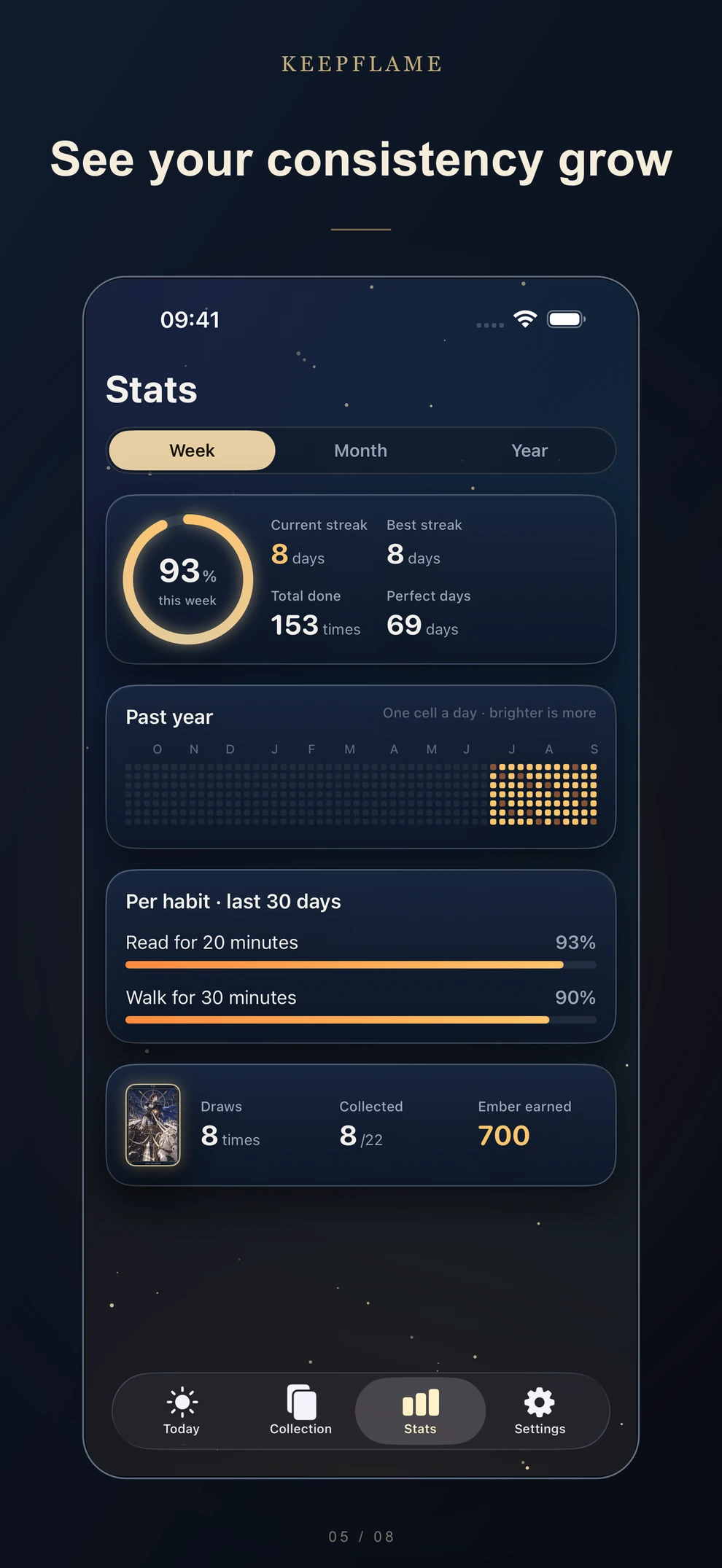
Statistics show your weekly, monthly, and yearly completion rates, a yearly heatmap, and per-habit progress. Open any habit to see its own calendar and history. Your draw and collection statistics sit alongside them, so you can see what your routine has added up to in both senses.
Optional reminders can be set for each habit, with a Daily Summary that only arrives when something is still unfinished. Live Activities show today’s progress on the Lock Screen and in the Dynamic Island on supported iPhones, and you can choose how many items they display. The app is also available in 22 languages, which you can switch inside the app or leave on your system language.
Free, offline, and still private
All current features and the full 22-card collection are free. There is no Pro upgrade, no subscription, no purchase screen, and no ads. The old Pro purchases from version 1.x have been retired; if you bought one, the Support page explains how to check it and how Apple refunds work.
The privacy stance has not changed. Habits, to-dos, your Ember balance, your collection, and settings stay on your iPhone. There is no account, no cloud sync, and no analytics or advertising SDKs, and the app does not need an internet connection to work.
One thing to know before updating: version 2.0 starts with new data. Habits and completion history from 1.1 are not imported. If you want to keep a record of your old routine, take screenshots before you update.
KeepFlame 2.0 requires an iPhone with iOS 26 or later.