Why I built TravelBrain
Most travel apps fall into two camps: either they require an account and sync everything to the cloud, or they rely heavily on AI to auto-generate itineraries based on your preferences.
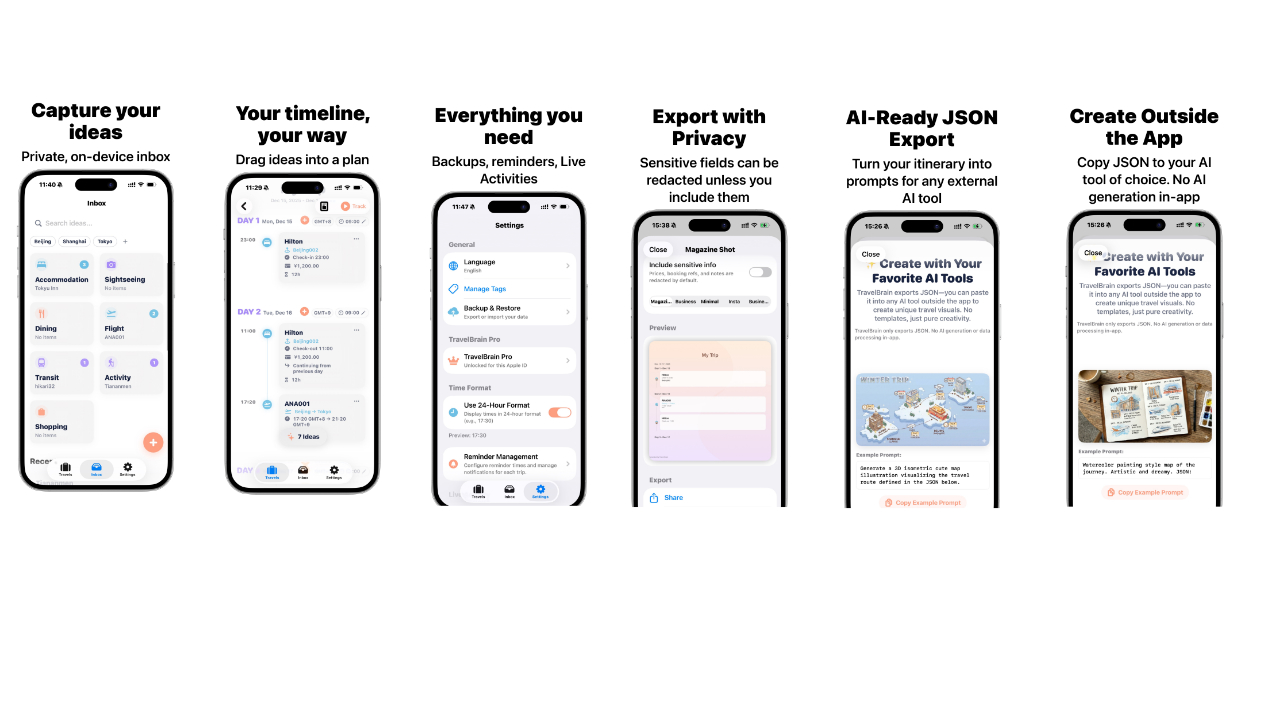
Neither approach felt right for me. I wanted something simpler — a tool where I could collect random travel ideas over time (a hotel I spotted, a flight deal, an interesting cafe), then drag those pieces onto a timeline when I’m ready to plan. Like building blocks for trips.
TravelBrain is my take on that idea: an offline-first travel planner where you accumulate inspirations at your own pace, then assemble them into a real itinerary when the time comes.
How it works
TravelBrain is built around a simple workflow:
1. Collect inspirations into Inbox
Add hotels, flights, attractions, restaurants, or any travel-related ideas. Each inspiration can include details like price, location, and notes.
2. Drag to Timeline
When you’re ready to plan, drag inspirations from your inbox onto a day-by-day timeline.
3. Build your itinerary
Arrange, reorder, and refine until your trip takes shape.
Key Features
- Completely offline. All data stays on your device. No account required, no cloud sync.
- Live Activity support. See your current travel event on your Lock Screen and Dynamic Island.
- Notifications. Get reminders for upcoming events in your itinerary.
- Manual iCloud backup. Export your data to iCloud whenever you want. Restore anytime.
TravelBrain Pro
Pro users unlock additional export capabilities:
- Export as Long Image — Generate a beautiful template-based image of your entire itinerary, perfect for sharing on social media or with travel companions.
- Export JSON Data — Copy your itinerary as structured JSON, then use it with any AI tool to generate custom travel graphics in any style you like.
Why we export JSON instead of generating images directly
We deliberately chose not to provide AI image generation within the app. Here’s why:
- Your data, your choice. You decide whether to share your travel data with an AI service.
- Models keep improving. You can always use the latest and best AI model available to you.
- No duplicate subscriptions. If you already subscribe to Google AI, ChatGPT, or another service, you don’t need to pay again.
We recommend using Google Gemini for best results across different languages.
AI-Generated Examples
Here are some examples generated using TravelBrain’s JSON export with different prompts:
Prompt: "Generate a 3D isometric cute map illustration visualizing the travel route defined in the JSON below."

Prompt: "Create a flat vector art travel magazine layout. Minimalist style, pastel colors."
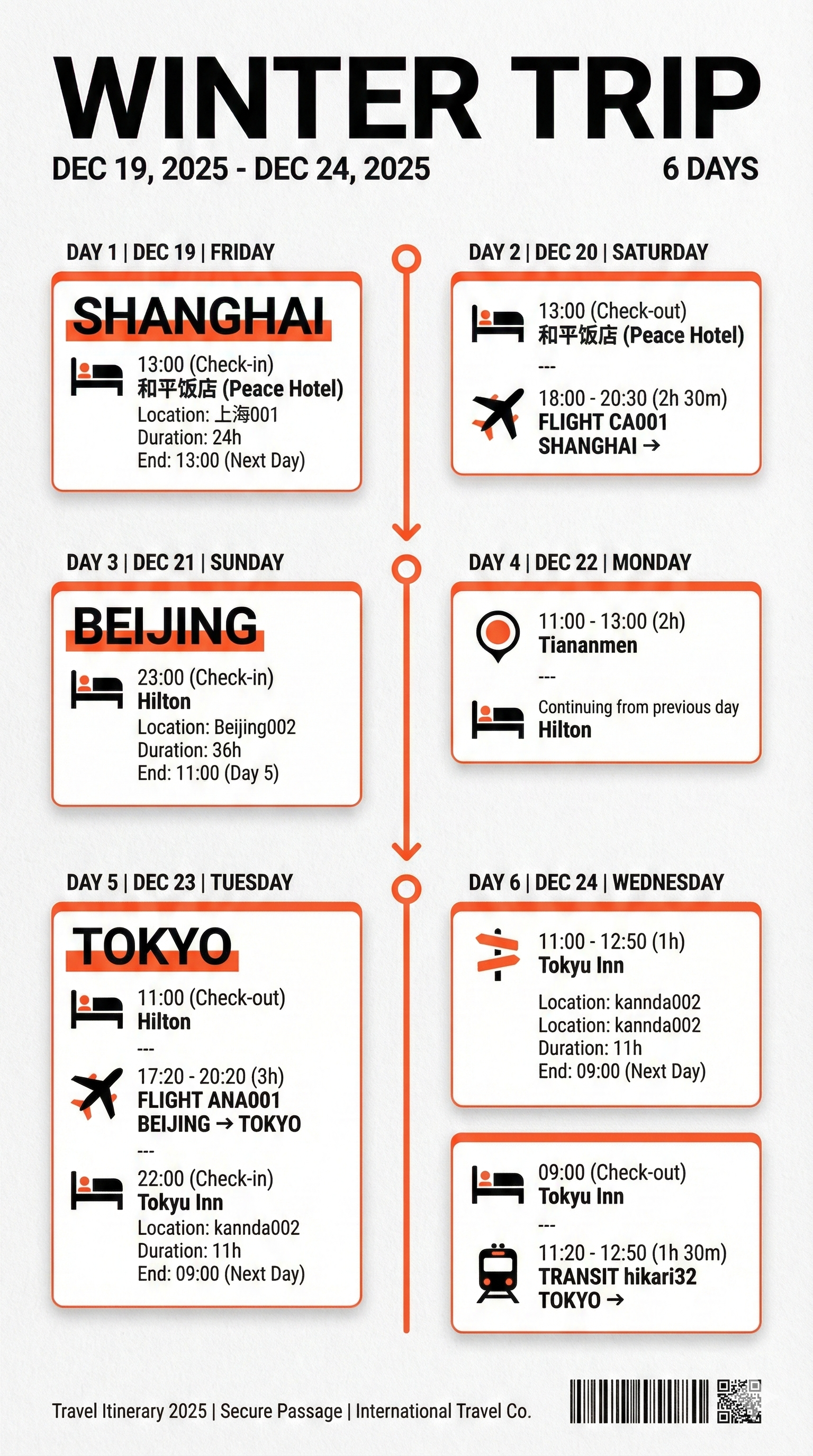
Prompt: "Watercolor painting style map of the journey. Artistic and dreamy."

Pricing
TravelBrain offers a Pro upgrade as either a one-time purchase or a monthly subscription. Pro unlocks export features, while the core planning experience remains available without forcing a subscription.
Purchases are handled by Apple through the App Store. We do not receive your payment details directly. You can restore a previous purchase at any time from Settings → TravelBrain Pro → Restore Purchase.
Private by design
TravelBrain is designed with a simple privacy rule: your travel plans and inspirations stay on your device.
- No personal data collection. We do not collect, store, or transmit your travel data or other personal information.
- On-device only. All itinerary data and settings remain on your iPhone.
- No analytics or advertising SDKs. There is no third-party tracking or ad network SDK built into the app.
Notifications are optional and controlled entirely by you in iOS Settings. Notification content is not sent to any external server.
Your use of TravelBrain is also governed by Apple’s standard End User License Agreement (EULA) for apps downloaded from the App Store. You can read the full text at:
Support
If you run into issues or have ideas that would make TravelBrain more helpful for your travel planning, feel free to reach out:
- Email: contact@kuroneko-cmd.dev
You can also find app-specific tips on the site’s Support page.