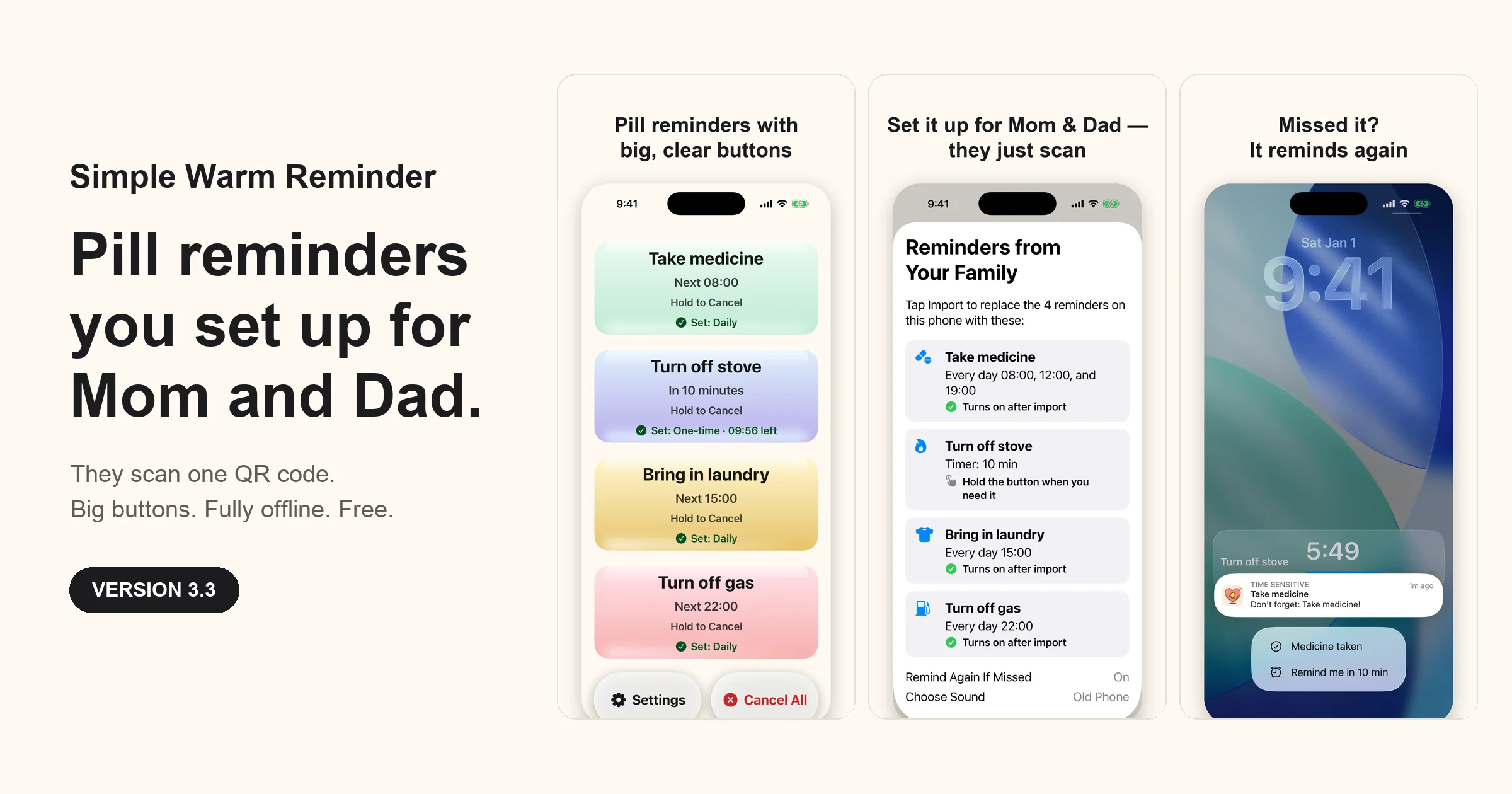
Simple Warm Reminder 3.3 is available on the App Store. Released September 30, 2026. Read the 3.3 release post for the story behind Set Up for Family.
Built for my father
I built Simple Warm Reminder for my father, who sometimes forgets small but important tasks as he gets older.
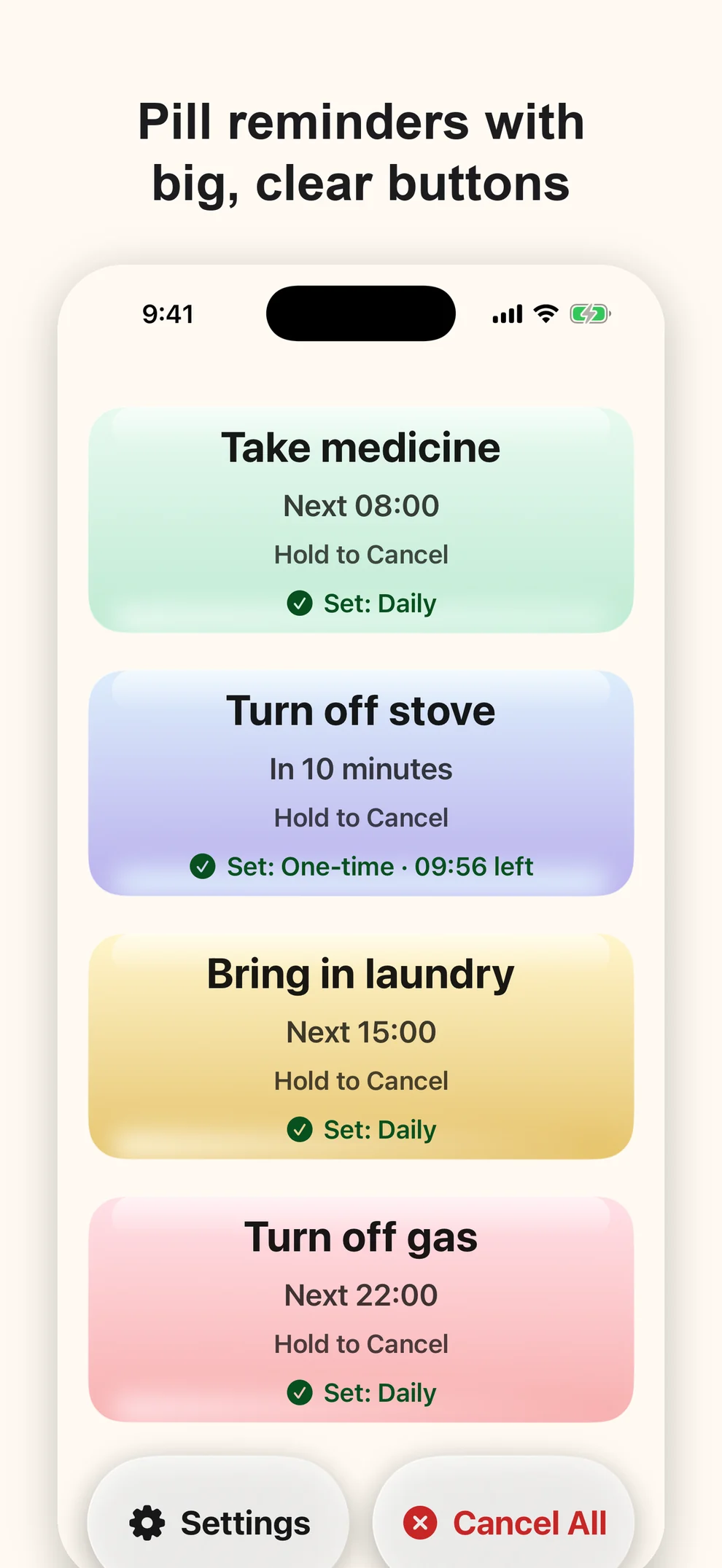
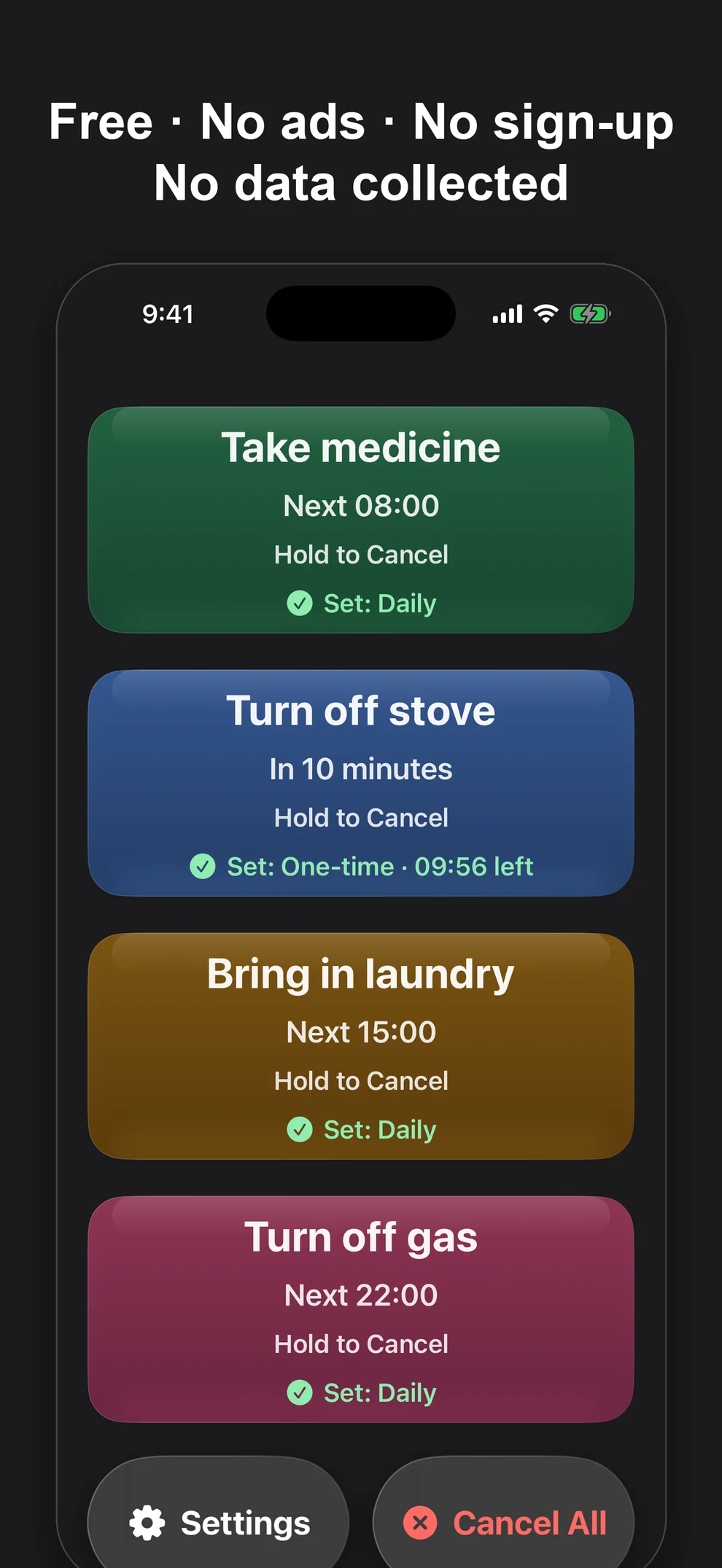
He does not need another task manager. He needs a few clear reminders he can recognize immediately: take medicine, turn off the stove, bring in the laundry, or check the gas. The app keeps those jobs on one calm screen with four large buttons and no account, inbox, or list to maintain.
Set it up for them, from your own phone
The hardest part of a reminder app for a parent is often the setup. Version 3.3 moves that job to you.
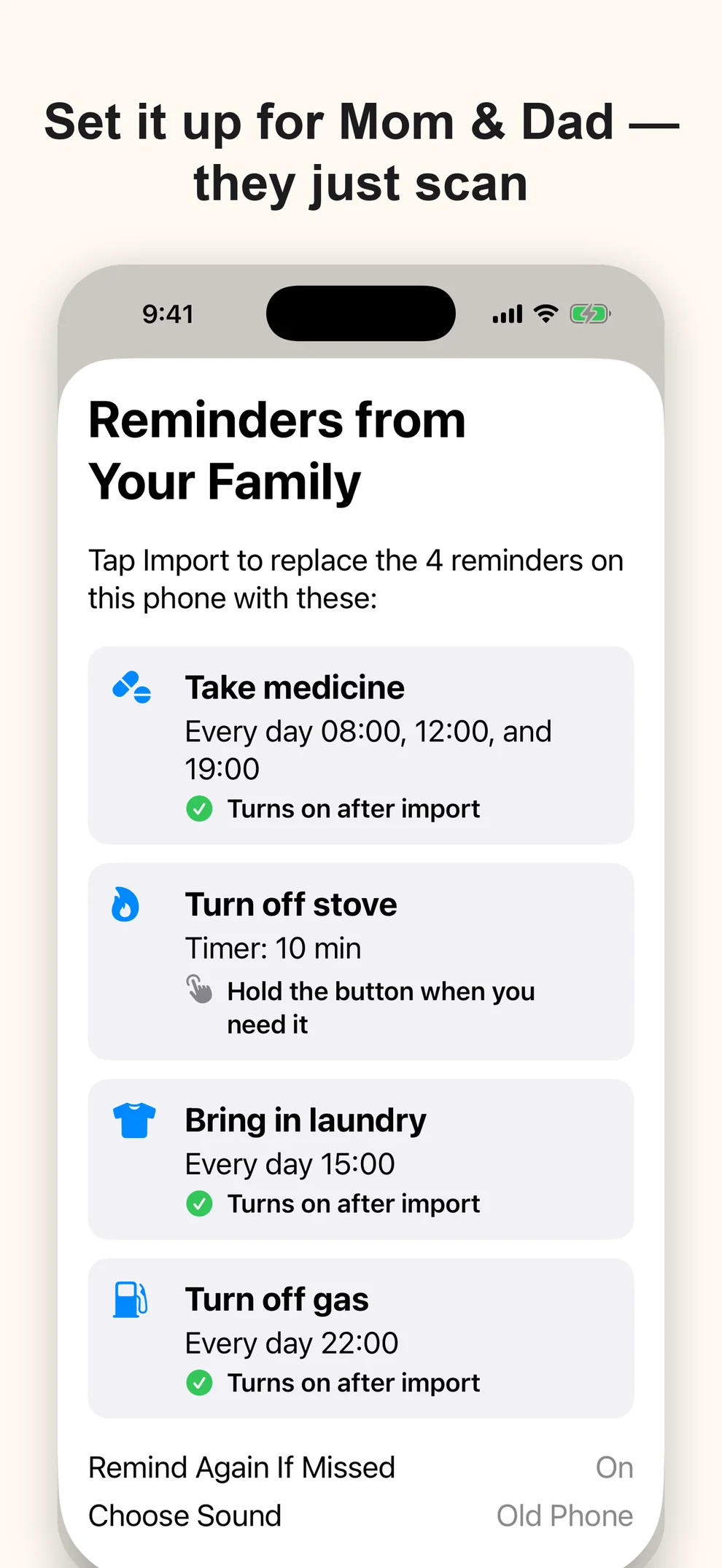
Set the names and times on your own phone under Settings → Change Reminder Times & Names, then open Settings → Set Up for Family, choose which daily reminders should be switched on for them, and the app shows a QR code. Your own reminders stay as they are. Your parent points the iPhone Camera at it, the app opens with a large-print list of the reminders, and one tap on Import puts everything in place. Nothing changes on their phone until they tap Import.
The code holds the reminder setup only: names, times, which daily reminders are on, the Remind Again If Missed switch, the chosen built-in sound, and the appearance setting. Voice recordings are not included. It is created on your phone and read on theirs, with no account or server in between. They need the app installed before scanning. You can also send the setup as a link, although some chat apps will not open it; the QR code is the dependable route.
Medication reminders that match real days
A daily reminder can ring up to three times — morning, noon, and evening — which suits most medication routines. On a new installation, Take medicine is the first button.
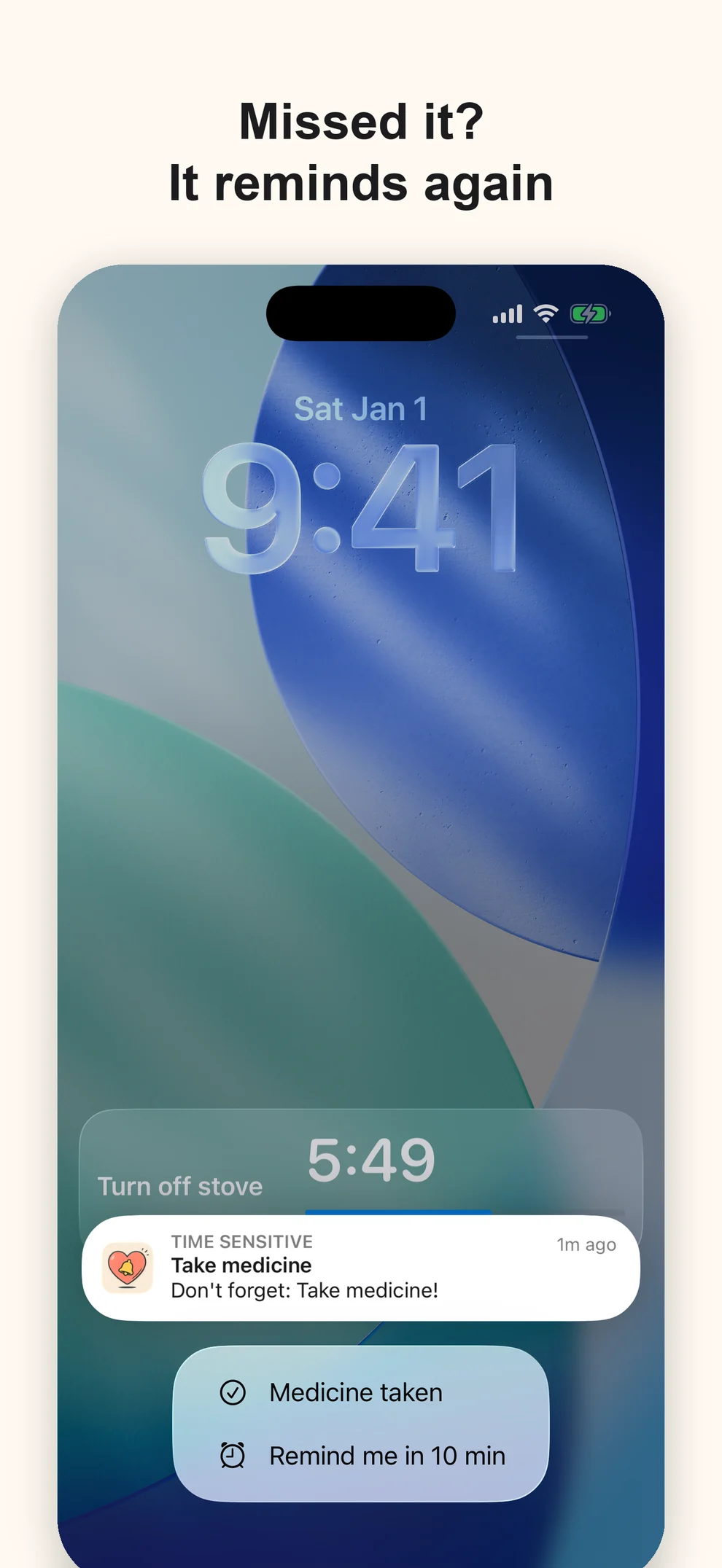
From 3.3, a reminder can be answered where it appears. The notification carries two actions, Medicine taken and Remind me in 10 min, and both work from the Lock Screen without opening the app.
If Remind Again If Missed is enabled and nobody confirms the reminder, the app rings again after 5 and 10 minutes. It adds reliability without adding another screen to manage.
Reliable without becoming complicated
The basic loop is still simple: open the app, hold a button to set a reminder, and let it ring when the time comes. A gentle vibration and a confirmation sound make every press obvious. Cancel All sits at the bottom of the screen and needs a long press, so reminders are hard to wipe out by accident.
Settings are tidier in 3.3. The built-in ringtones have real names, timers have quick buttons for 5, 10, 15, 30, and 60 minutes, and the language list includes Follow System.
Visible and comfortable everywhere
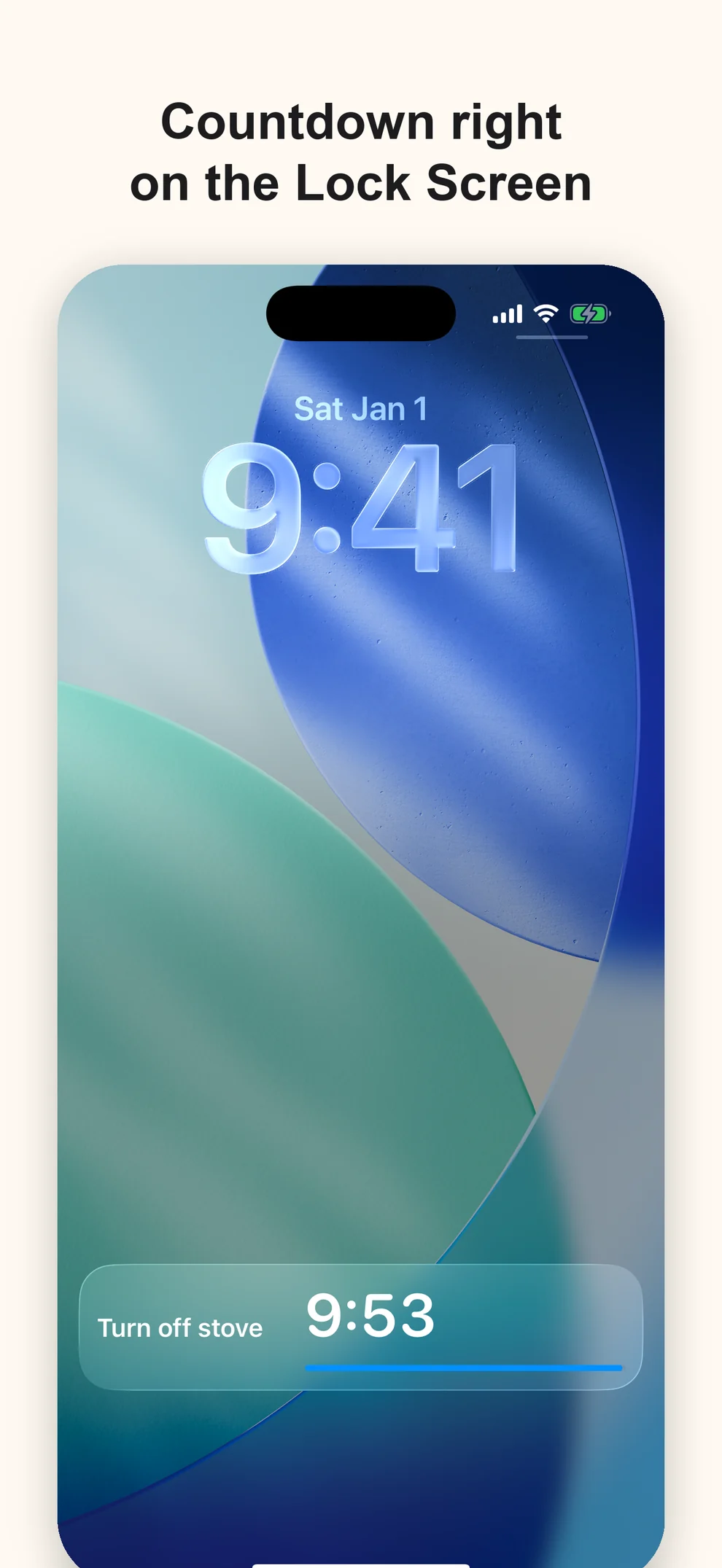
The Home Screen widget shows the next reminder without opening the app. Time-sensitive alerts can break through Focus modes, and Live Activities keep one-time countdowns visible on the Lock Screen and Dynamic Island.
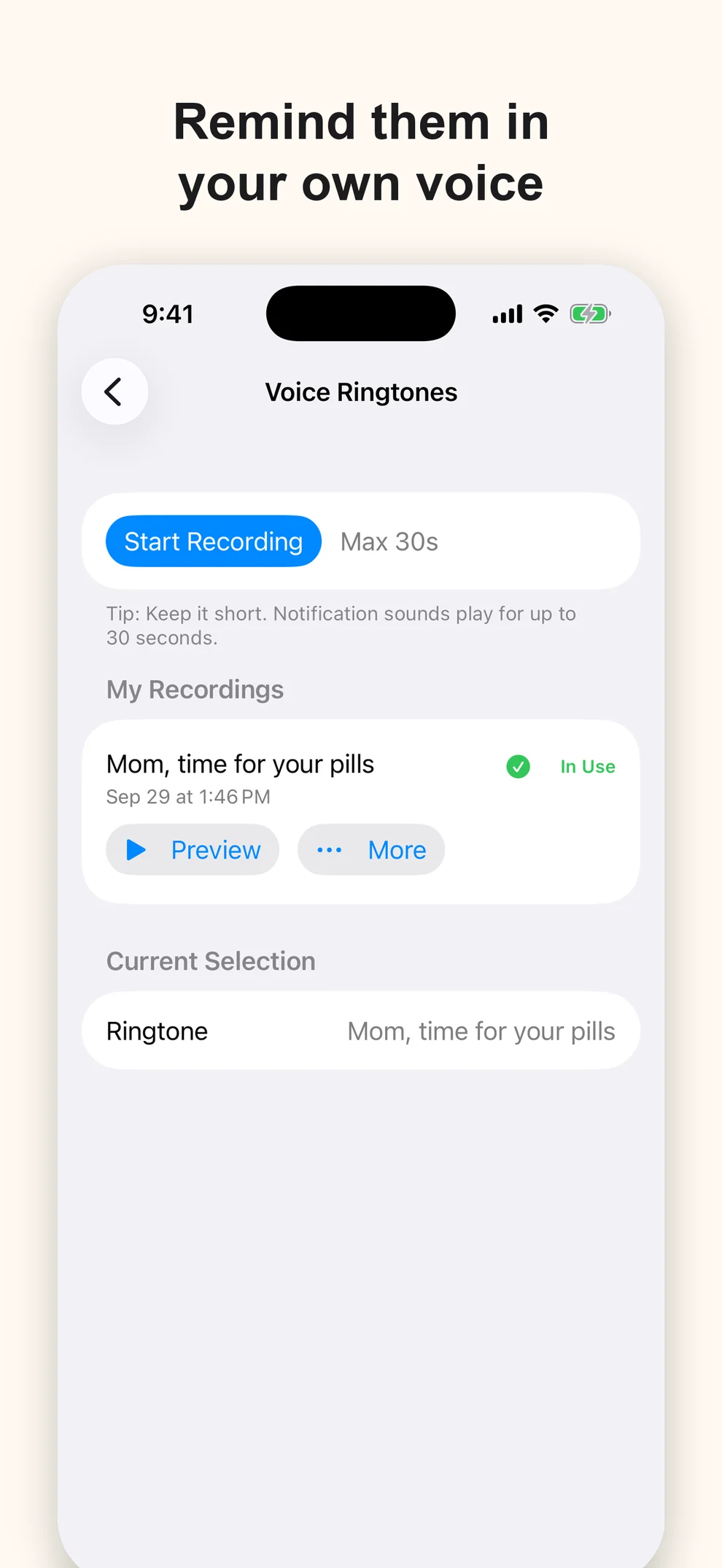
Dark mode is clearer in 3.3, with brighter cards and text that is easier to read. The app also supports very large Dynamic Type sizes and 22 languages. You can use one of the built-in sounds or record a familiar voice — for example, “Mom, time for your pills” — and that recording stays on the device.
The built-in sounds are now compressed, so the app is about half the size it was.
Free, private, and offline
Every feature is free. There is no Pro tier, subscription, advertising, or feature paywall. The optional Tip Jar is only a way to support continued development.
The privacy model remains deliberately strict:
- No data collection or analytics SDKs.
- No account and no server sync.
- Reminders, settings, and voice recordings stay on the device.
Simple Warm Reminder is a reminder tool. It is not a medical device and does not give medical advice; follow your doctor or pharmacist for what to take and when.
System requirements and support
Requires iOS 18.0 or later, on iPhone and iPad.
See Support for setup tips and the privacy policy for details. If Simple Warm Reminder could be easier for you or your family, email contact@kuroneko-cmd.dev.