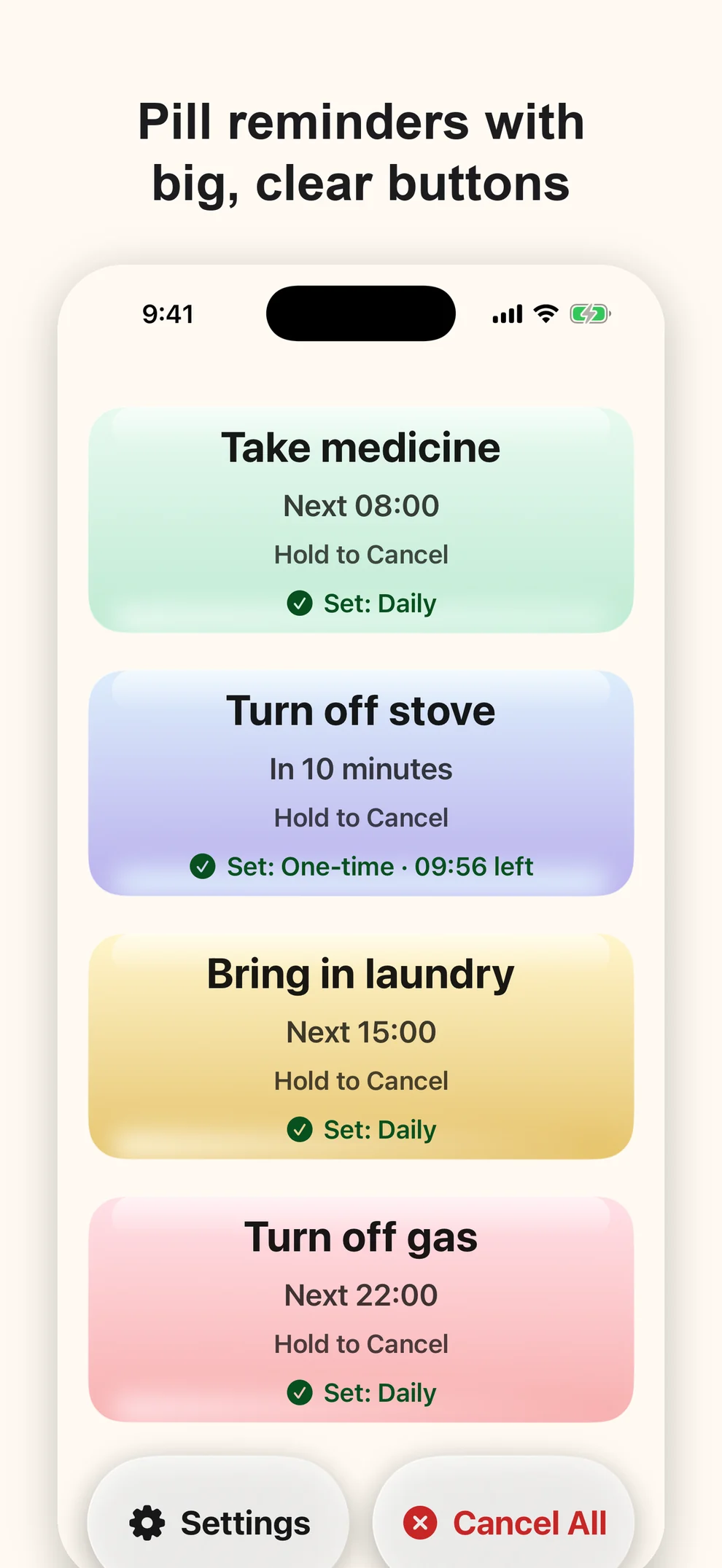
Every version of Simple Warm Reminder so far has been about the person who receives the reminder: bigger buttons, clearer feedback, a second alert when the first one is missed. Version 3.3 is the first one built for the other person in the story — the son or daughter who installs the app on a parent’s phone and then tries to set it up.
That turned out to be the weak spot. Four big buttons are easy to use. Getting the right names and the right times into them, on someone else’s iPhone, is not. In practice it means sitting next to your father, or explaining over a video call which switch to tap, or quietly giving up and leaving the defaults. In 3.3 you do that work on your own phone, and your parent scans one QR code.
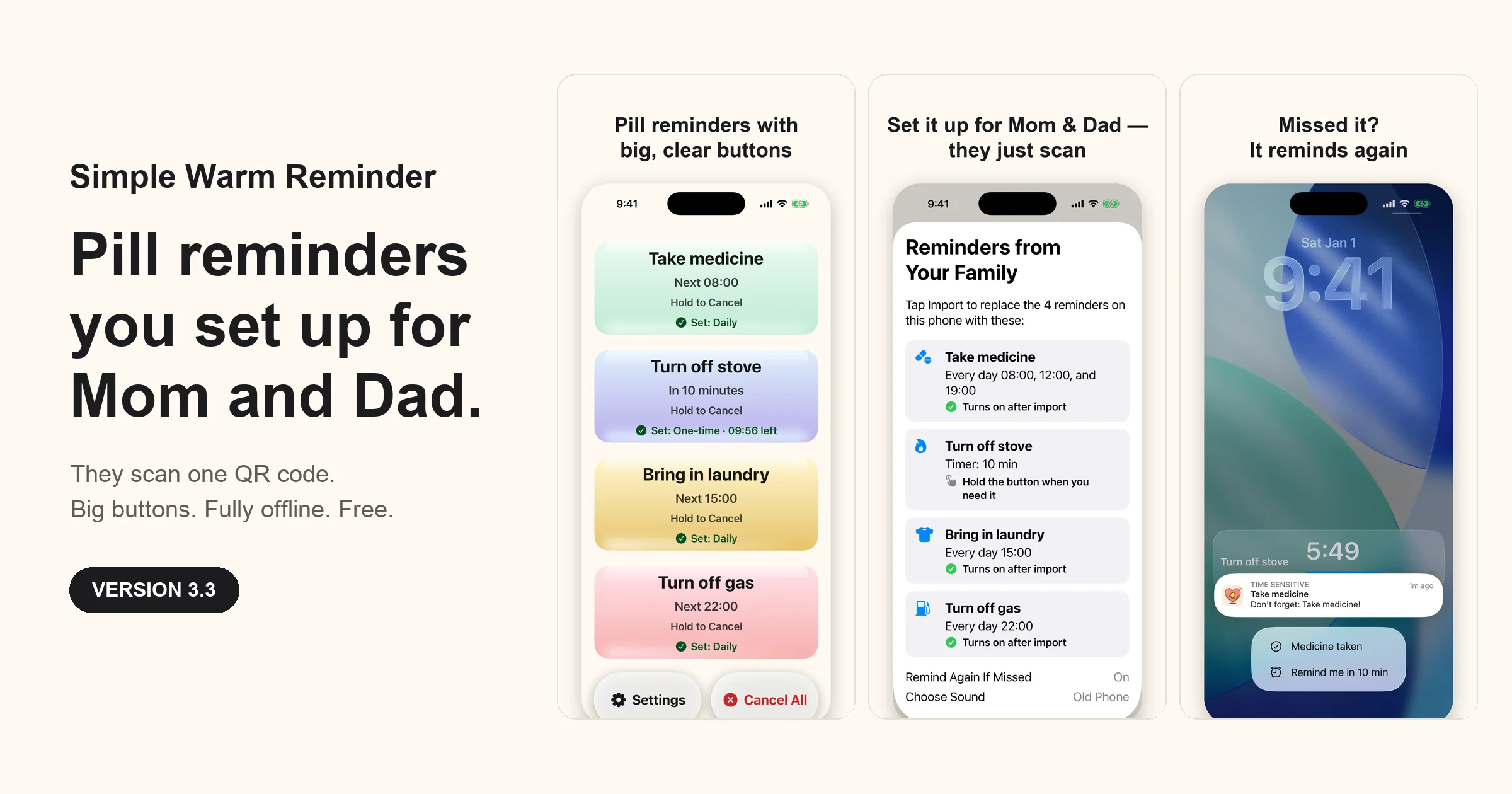
Set Up for Family
The flow is short on purpose. On your phone, set the reminder names and times as usual, then open Settings → Set Up for Family and choose which daily reminders should be switched on for them. The app shows a QR code. Your parent points the iPhone Camera at it, Simple Warm Reminder opens with a large-print list of what is about to arrive, and one tap on Import puts everything in place. Nothing changes on their phone until they tap it, and nothing changes on yours at all.
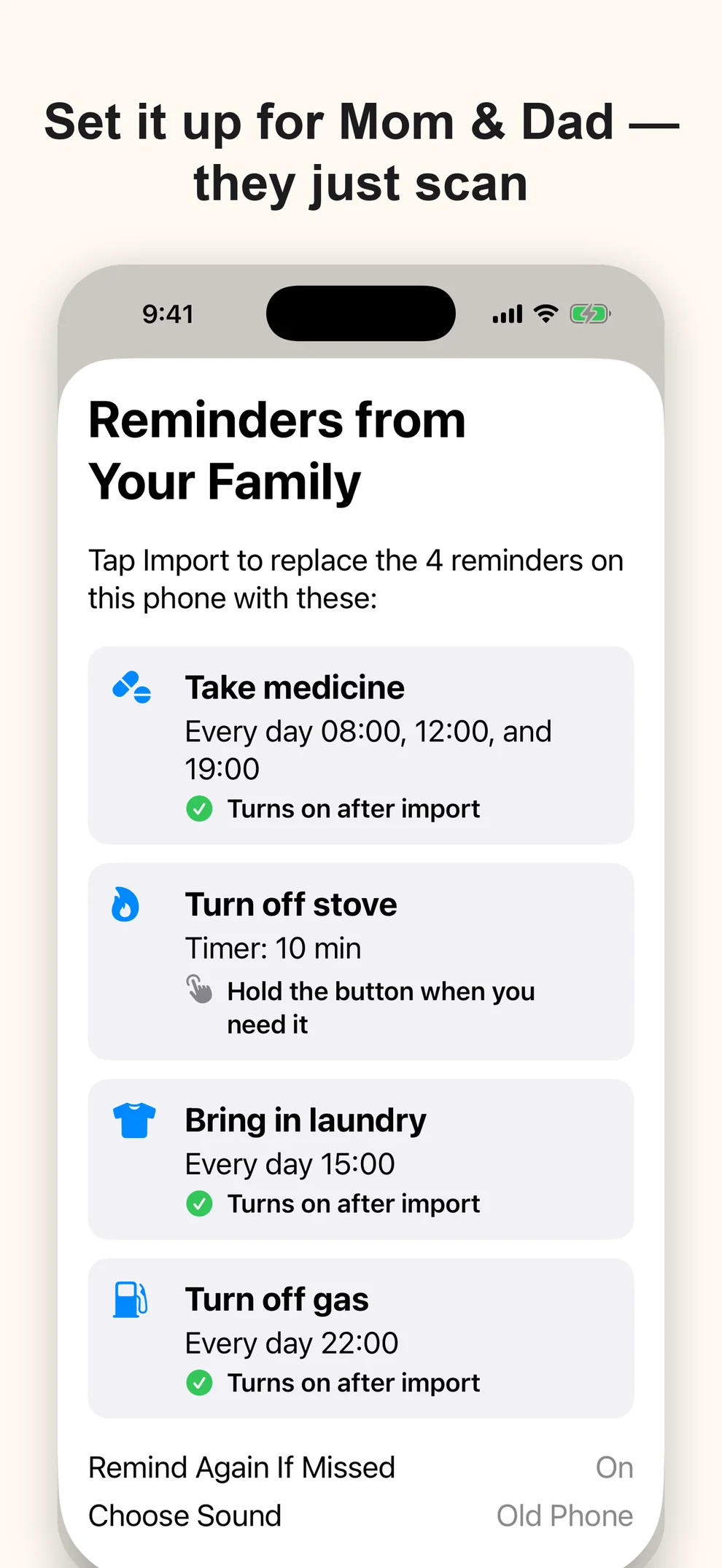
The QR code carries the setup itself — names, times, which daily reminders are on, the Remind Again If Missed switch, the chosen built-in sound, and the appearance setting. It is created on one phone and read on the other, so there is still no account and no server in the middle. Voice recordings stay where they were made; if you want your parent to hear your voice, record it on their phone. You can also send the setup as a link, but some chat apps refuse to open it, so the QR code is the route I would trust.
It is a small feature in code and the biggest change in this release, because it removes the step where most well-meant setups quietly stopped.
Answer the reminder where it appears
Until now, confirming a reminder meant opening the app and tapping the card. From 3.3 the notification itself carries two actions, Medicine taken and Remind me in 10 min. Both work from the Lock Screen and neither opens the app. If you have renamed a reminder, the first action simply reads Done.
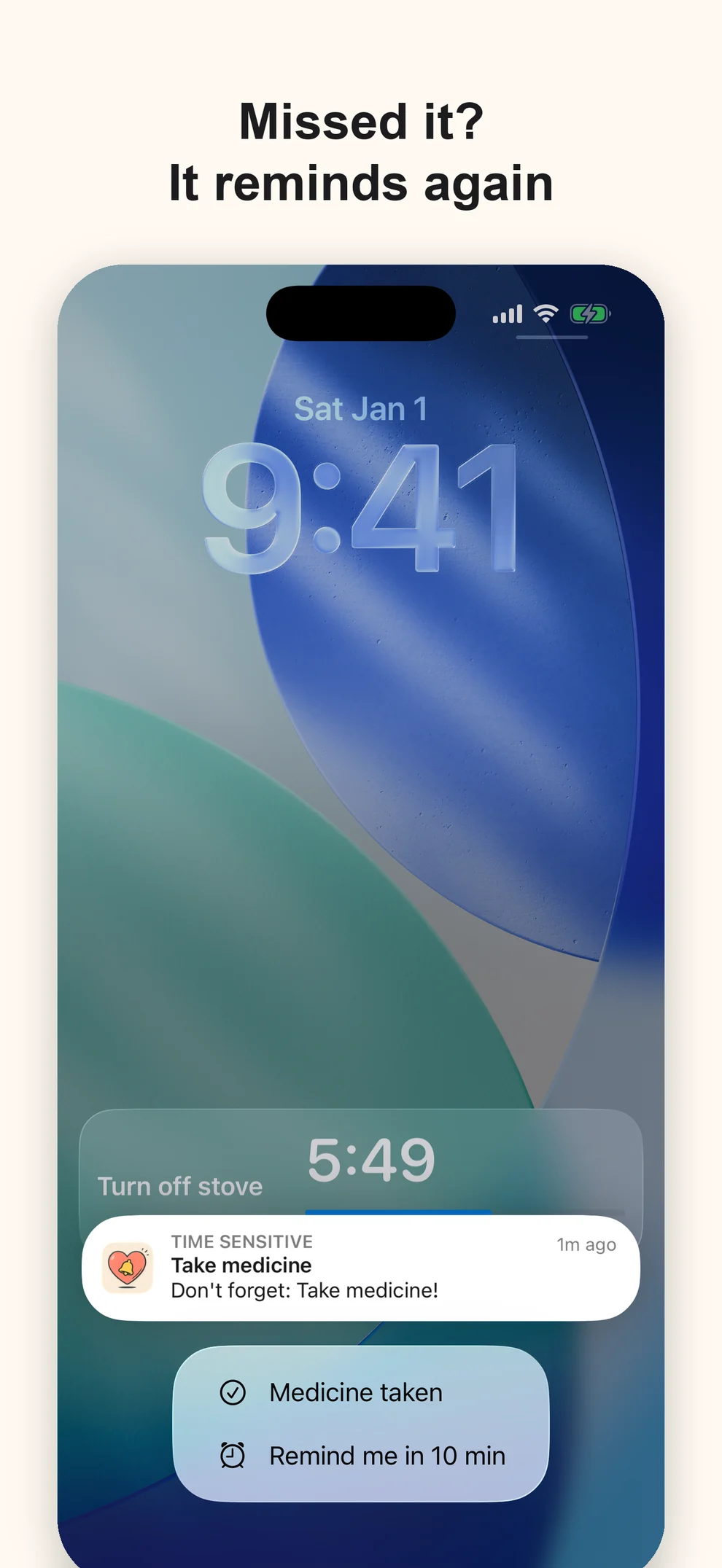
Confirming from the notification does the same thing as confirming inside the app, including cancelling the follow-up alerts that 3.2 introduced. “Remind me in 10 min” does the opposite: it schedules one more alert and lets the pending follow-ups for that reminder step aside, so the phone does not ring twice inside the same ten minutes.
Quieter improvements
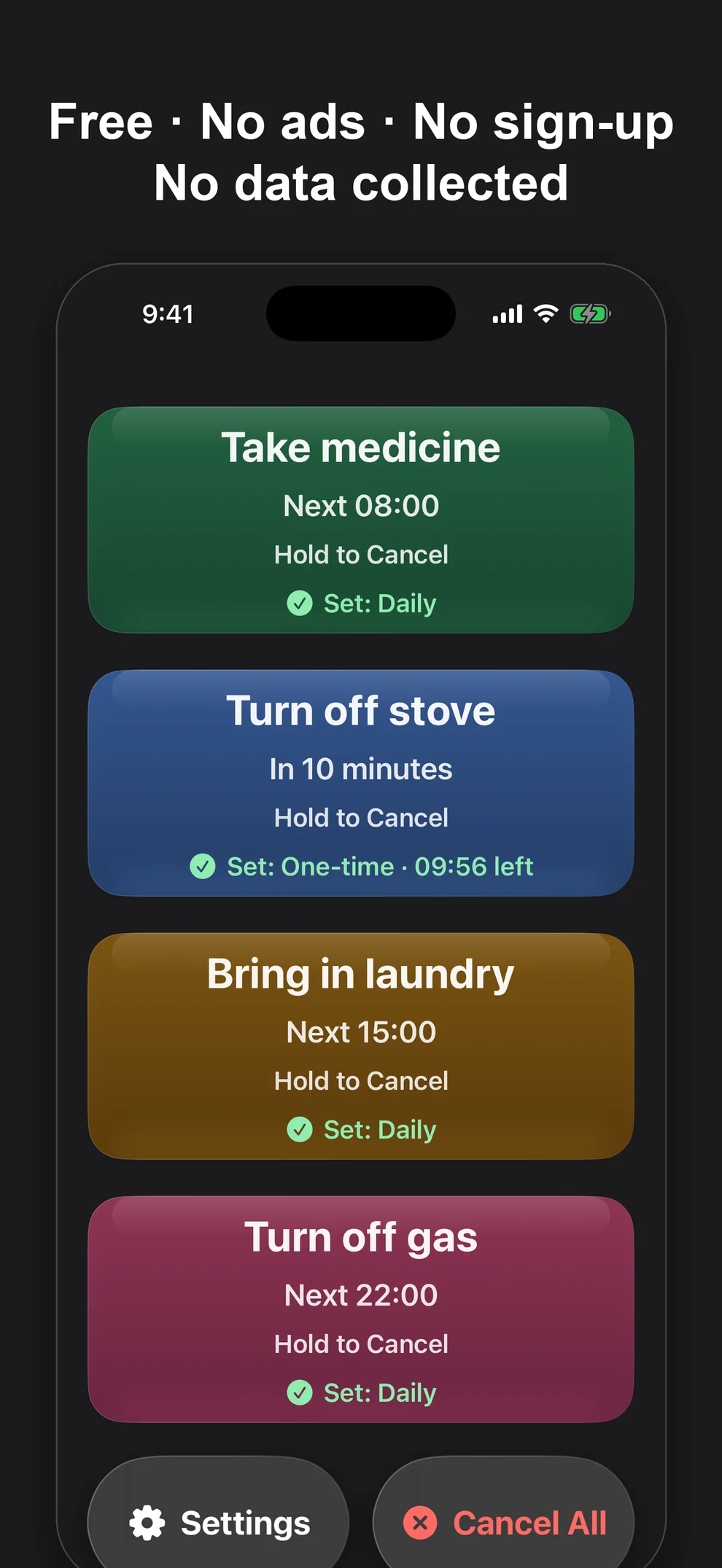
Dark mode looked muddy before. The cards sank into the background, the gold card turned brown, and one subtitle on the main screen was black text on a dark surface. In 3.3 the colors were rebuilt so the cards are brighter, the text is easier to read, and the contrast of the main screen is checked by tests rather than by my eyes alone.
Settings got a tidy-up without losing anything. The built-in ringtones have real names, timers have quick buttons for 5, 10, 15, 30, and 60 minutes, and the language list now includes Follow System. The built-in sounds are also compressed, which makes the app about half the size it was — a detail that matters more than it sounds on an older phone that is always short of storage.
The same promises
Simple Warm Reminder is still free in full: no Pro tier, no subscription, no ads. It still has no account, no analytics, and no server sync, and its App Store privacy label is still Data Not Collected. It is a reminder tool, not a medical device, and it does not tell anyone what to take.
When I first built it for my father, the goal was an app that asks as little of him as possible. Version 3.3 extends that a step further: some of the asking now goes to me instead.